How to Invoice as a Sole Trader: The Complete Guide
Learn how to invoice as a sole trader legally and professionally. Discover mandatory invoice details, tax rules, payment terms, and free templates.
BT
Bizcalc Team
·May 13, 2026
Quick Answer & Key Summary
Quick Answer: Invoicing as a sole trader requires displaying your personal legal name, business trading name, contact details, payment information, and statutory tax identifiers, ensuring compliance with local revenue authorities.
• Key Formula / Standard:Sole Trader Invoice: [Your Name] trading as [Business Name] + Unique Sequential Invoice # + Net Terms + Bank Details • Rule of Thumb / Benchmark: In the UK, sole traders must register for VAT once rolling 12-month taxable turnover exceeds £90,000.
Taking the leap to work for yourself is one of the most exciting professional decisions you can make. However, the reality of running a sole proprietorship quickly sets in the moment you finish your first client project: you actually need to get paid. For many new freelancers, consultants, and independent contractors, learning exactly how to invoice as a sole trader is a daunting hurdle.
Unlike working as an employee where your salary magically appears in your bank account every month, as a sole trader, you are the entire accounts receivable department. If your invoice is formatted incorrectly, missing a critical legal detail, or lacking clear payment instructions, your client’s accounting team will simply kick it back, delaying your cash flow by weeks.
Furthermore, sole traders operate under unique legal structures. Because you and your business are legally the same entity, the way you present your name, your tax identifiers, and your business details must comply with strict local regulations.
Whether you are a freelance developer in the UK, an independent consultant in the US, or a sole proprietor tradesperson in Australia, this comprehensive, 2,000+ word guide covers everything you need to know about how to invoice as a sole trader. We will break down the anatomy of a perfect invoice, how to handle taxes like VAT and GST, and provide actionable templates for chasing late payments.
📄
Free Invoice Generator for Sole Traders
Create a professional, legally compliant PDF invoice with your name, trading details, line items, and tax fields — no sign-up, no watermarks, ready to send in minutes.
What is a Sole Trader? (And Why Your Invoices Matter)
Before diving into the mechanics of invoicing, it is important to understand the legal context of your business structure.
A sole trader (often called a sole proprietor in the US and Canada) is the simplest business structure available. It means you run your own business as an individual and are self-employed. Unlike a Limited Liability Company (LLC) or a Corporation, there is no legal separation between you and the business. You keep all your business's profits after tax, but you are also personally liable for all business debts.
Because there is no legal separation, the way you invoice must clearly reflect your personal identity while maintaining professional boundaries. An invoice is not just a polite request for money; it is a legally binding commercial document that forms part of your statutory accounting records. Tax authorities require these documents to be accurate, sequential, and clearly identifiable.
The Anatomy of a Perfect Sole Trader Invoice
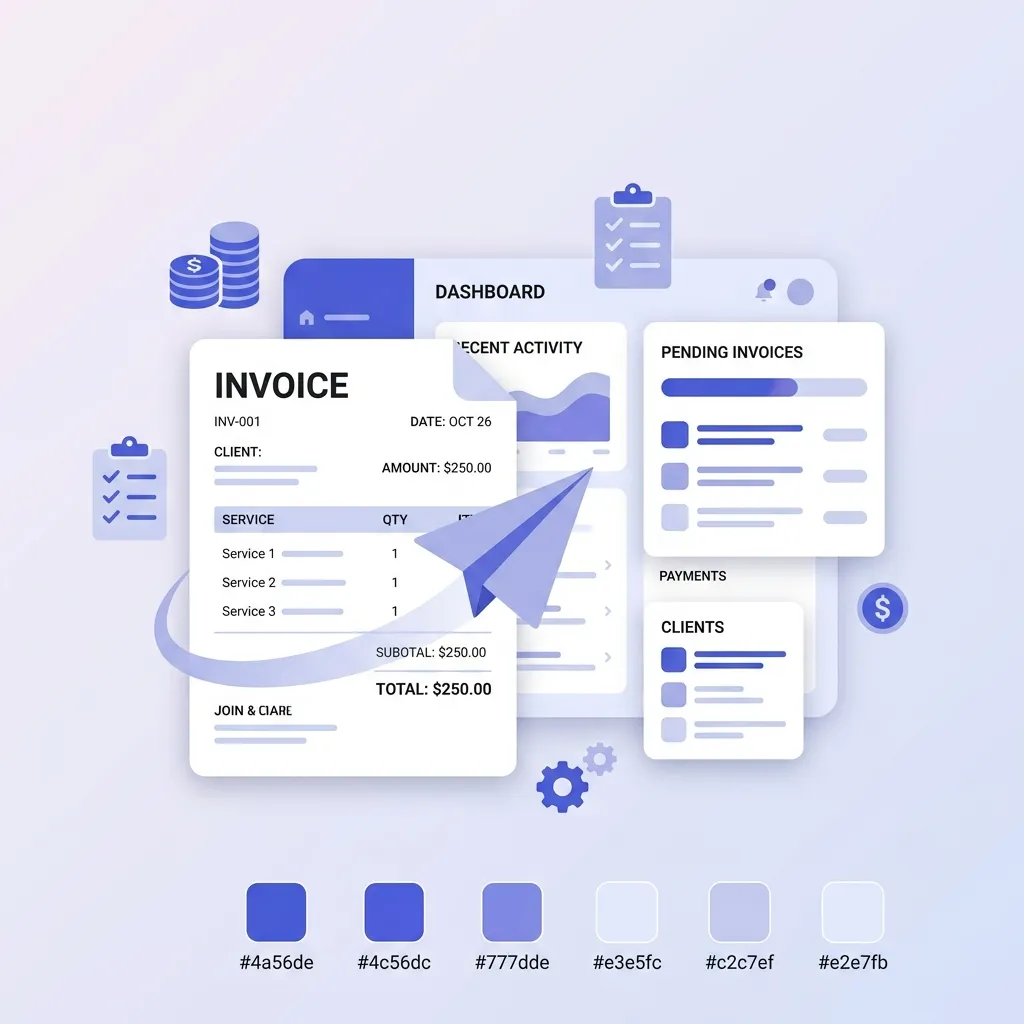
To ensure your invoices are paid promptly and remain legally compliant, they must contain specific pieces of information. Here is a step-by-step breakdown of exactly what to include on a sole trader invoice.
1. The Header: The Word "Invoice"
It sounds obvious, but at the very top of your document, the word INVOICE must be clearly visible in a large font. This prevents the document from being confused with a quote, a pro-forma invoice, or a general receipt.
2. Your Business and Personal Details
As a sole trader, your legal name must be on the invoice. If you use a business name, you must use the "Trading As" (T/A) format.
Your Full Name: e.g., Jane Smith
Your Trading Name (if applicable): e.g., Jane Smith T/A Smith Design Studio
Your Registered Address: You must include a physical address where legal documents can be served. For many sole traders, this is a home address. If you are uncomfortable sharing your home address, consider renting a virtual office address or a PO Box (though check local laws, as some jurisdictions require a physical street address).
Your Contact Information: Email address and phone number.
3. Client Details
Directly below or beside your details, include the full details of the person or company you are billing:
The client's official registered company name (e.g., Acme Corporation Ltd, not just "Acme").
The client's billing address.
The name of your specific contact person (e.g., "Attn: Accounts Payable" or "Attn: John Doe").
4. Essential Invoice Numbers and Dates
Every professional invoice needs clear tracking metrics.
Invoice Number: This must be a unique, sequential number. Do not reuse numbers. Good formats include INV-001, 2026-001, or a client-specific prefix like ACME-001. Sequential numbering is a strict requirement for tax audits in most countries.
Invoice Date: The exact date the invoice was generated and sent.
Due Date: The exact date you expect the money in your account. Avoid vague terms like "Net 30." Instead, write: "Due Date: 15 November 2026."
5. Tax Identifiers (UTR, ABN, EIN)
Depending on your country, you may be required to list your tax identification number on your invoices, even if you are not charging sales tax.
UK: If you are a standard sole trader, you do not need to put your Unique Taxpayer Reference (UTR) on standard invoices. However, if you are registered for VAT, your VAT Registration Number is mandatory. If you work in the construction industry under the CIS scheme, you will need to provide your UTR.
Australia: You must include your Australian Business Number (ABN). Without it, businesses are legally required to withhold 47% of your payment for tax purposes.
USA: You can use your Social Security Number (SSN), but for privacy reasons, it is highly recommended to apply for a free Employer Identification Number (EIN) from the IRS to use on your invoices instead.
Canada: Your Business Number (BN) or GST/HST number if applicable.
6. Detailed Line Items
The descriptions of your services must be crystal clear to avoid disputes.
Provide a clear description of the goods or services (e.g., "Website Copywriting - 5 Pages" rather than just "Writing").
The quantity (hours worked, days, or units).
The unit price or hourly rate.
The total amount for that specific line item.
7. The Financial Summary and Terms
At the bottom of the invoice:
Subtotal: The total before any taxes or discounts.
Discounts: Any agreed-upon deductions.
Taxes: If applicable, state the tax rate (e.g., 20% VAT) and the total tax amount.
Total Amount Due: The final figure the client must pay, displayed prominently.
8. Explicit Payment Instructions
Make paying you the easiest part of the client's day. Provide complete banking details:
Bank Name
Account Holder Name (This must match the name on the bank account. If your bank account is in your personal name, but your invoice says "Smith Design Studio," the client's bank may reject the transfer).
Account Number and Routing Number / Sort Code / BSB.
For international payments: IBAN and SWIFT/BIC codes.
Alternative payment links (e.g., a Stripe or PayPal link).
Sole Trader Invoice Checklist
Use this quick checklist before sending your next invoice to ensure you haven't missed any legal or practical requirements:
Requirement
Description
Status
Document Title
The word "INVOICE" clearly displayed at the top.
[ ]
Your Name
Your personal name, and "Trading As" name if applicable.
[ ]
Your Address
A valid physical or registered virtual business address.
[ ]
Client Details
The client's correct legal entity name and billing address.
[ ]
Invoice Number
A unique, sequential identification number.
[ ]
Issue Date
The date the invoice is sent to the client.
[ ]
Due Date
The exact calendar date the payment is required.
[ ]
Itemized Services
Clear descriptions, quantities, and rates for the work done.
[ ]
Tax Information
Your tax ID, ABN, or VAT/GST number (if required).
[ ]
Total Amount
The final, unambiguous total amount due.
[ ]
Payment Details
Your correct bank account details or payment links.
[ ]
Dealing with VAT, GST, and Sales Tax as a Sole Trader
One of the most confusing aspects of learning how to invoice as a sole trader is knowing when and how to charge tax.
As a sole proprietor, you are not automatically required to charge value-added tax (VAT), goods and services tax (GST), or sales tax the moment you start your business. Almost every country has a registration threshold. If your rolling 12-month revenue is below this threshold, you do not charge tax.
UK VAT Threshold: £90,000 (statutory annual threshold). If your revenue is below this, you issue standard invoices with no VAT. If you cross it, you must register for VAT, issue "Tax Invoices," and add 20% to your prices.
Australia GST Threshold: $75,000 AUD. Below this, no GST. Above this, you must register and add 10% GST to your invoices.
US Sales Tax: Varies wildly by state and by the type of product or service (most digital services are exempt, but physical goods are not). You must establish "economic nexus" in a state before collecting tax.
Crucial Rule: If you are not registered for VAT/GST, you cannot legally charge it. Do not put a line item for tax on your invoice, and do not use the phrase "Tax Invoice." Simply list your prices as total flat fees.
Writing Bulletproof Payment Terms
Your payment terms dictate the rules of engagement for your cash flow. You should agree on these terms before the project starts and reiterate them at the bottom of every invoice.
Common Payment Windows
Due on Receipt: Payment is expected immediately. Common for small tasks or retail consulting.
Net 7 or Net 14: Payment due within 7 or 14 days. This is highly recommended for sole traders to maintain healthy cash flow.
Net 30: Payment due in 30 days. Standard for corporate B2B clients. It is difficult to force enterprise clients to pay faster than their standard 30-day accounts payable cycle.
Late Payment Fees
To discourage clients from using you as an interest-free credit facility, include a late fee clause in your invoice notes.
Example: "Please note that invoices not paid by the due date are subject to a late fee of 2% per month on the outstanding balance."
Even if you choose not to enforce it for a good client who is two days late, having the clause gives you leverage when dealing with problematic payers.
How to Accept Payments (Keeping Finances Separate)
A massive mistake new sole traders make is having clients pay directly into their personal, everyday checking account. When it comes time to do your tax return, untangling your grocery shopping from your freelance income is a nightmare.
Open a Dedicated Business Bank Account: Even though you and the business are the same legal entity, open a separate bank account used exclusively for business income and expenses.
Ensure Names Match: If your invoice says "Pay to: Summit Graphic Design", but your bank account is in the name "David Jones", corporate clients will often reject the transfer due to internal fraud-prevention rules. Ask your bank to add your "Trading As" name to your account.
Use Borderless Accounts for International Clients: If you invoice clients overseas, traditional bank wire fees will destroy your profit margins. Use services like Wise (TransferWise) or Payoneer to receive local currency (USD, EUR, GBP) without massive hidden conversion fees.
How to Chase Late Payments (Without Ruining Relationships)
Every sole trader will eventually deal with a late payer. It is the most stressful part of working for yourself, but it must be handled professionally. Do not assume malice immediately; invoices get lost in spam folders, and AP clerks go on vacation.
Use this step-by-step follow-up timeline and template structure:
1. The Day After Due Date (The Friendly Reminder)
Keep it light. Assume they just forgot.
Subject: Following up on Invoice #INV-001 (Due Yesterday)
Hi [Client Name],
I hope you’re having a great week! I'm just sending a quick note to remind you that Invoice #INV-001 for [Project Name] was due yesterday.
I’ve re-attached the invoice here for your convenience. Let me know if you need anything else from my end to get this processed.
Best regards,
[Your Name]
2. Seven Days Late (The Firm Status Check)
Remove the exclamation marks. Ask for a specific payment date.
Subject: Overdue: Invoice #INV-001 for [Project Name]
Hi [Client Name],
I am following up on Invoice #INV-001, which is now a week overdue.
Could you please check with your accounts team and let me know what date this is scheduled for payment?
Thank you,
[Your Name]
3. Fourteen Days Late (Enforcing Terms)
Bring up the late fees and halt any ongoing work.
Subject: URGENT: Invoice #INV-001 is 14 Days Overdue
Hi [Client Name],
Invoice #INV-001 is now two weeks overdue. As per the payment terms outlined in our agreement and on the invoice, a late fee of 2% will be applied if payment is not received by [Date/Friday].
Additionally, I will need to pause all current project work until this balance is cleared. Please confirm receipt of this email and advise when the transfer has been made.
Regards,
[Your Name]
Common Invoicing Mistakes Sole Traders Make
When learning how to invoice as a sole trader, avoiding these common pitfalls will save you immense headaches:
Invoicing in Word or Excel: Never send an editable document (like a .docx or .xlsx file). A client could accidentally (or intentionally) alter the amount or the bank details. Always send your invoices as flattened PDF files.
Forgetting the Purchase Order (PO) Number: If you are working for a medium or large company, they will likely issue you a PO number before you start work. If that number is not written on your invoice, their automated system will reject it. Always ask: "Do you need to issue a PO number for this before I invoice?"
Surprising the Client: Your invoice should never be a surprise. If you encountered scope creep and the project took an extra 10 hours, you must clear those additional costs with the client before you do the work, not by slipping it onto the final invoice.
The Best Tools for Sole Trader Invoicing
While you can technically create an invoice in Canva or Google Docs, formatting them properly every time is tedious and leaves room for mathematical errors.
As a sole trader, your time is your most valuable asset. You should not be wasting an hour manually calculating subtotals and checking calendar dates for payment terms.
🧾
Free Invoice Generator for Sole Traders
Create a professional, legally compliant PDF invoice with your "Trading As" details, line items, and tax fields — ready to send in under 2 minutes, with no sign-up required.
Mastering how to invoice as a sole trader is about establishing professional boundaries. An impeccable invoice signals to your clients that you are a serious business entity, not just an amateur side-hustler.
By ensuring your legal entity details are correct, clearly itemizing your services, establishing strict payment terms, and using a dedicated business bank account, you protect your cash flow and drastically reduce the administrative stress of working for yourself. Treat your invoicing process with the same level of care and precision that you apply to your client work, and your business will thrive.
🧾
Free Receipt Generator
Once your client pays, send them a professional proof of payment in seconds. No sign-up, no watermarks — just a clean, branded receipt ready to download.
Yes, sole traders are legally required to issue invoices for their goods or services, just like a limited company or corporation.
What name should go on a sole trader invoice?
You should use your legal name, followed by your trading name if you have one (e.g., 'Jane Doe trading as JD Design').
Do sole traders need to charge VAT or sales tax?
You only need to charge VAT or sales tax if your business revenue exceeds the mandatory registration threshold in your country or state. If you are not registered, do not add tax to your invoice.
Do I need a separate business bank account for invoices?
While not legally strictly required for a sole trader in all countries, it is highly recommended to have a dedicated business bank account. Include these payment details clearly on your invoice.
Is my personal address required on the invoice?
Yes, if you work from home and don't have a separate commercial office, your personal address serves as your official business address and must be included on the invoice.
#how to invoice as a sole trader#sole trader invoice template#sole proprietor invoice#freelance invoicing#trading as#getting paid