The Best Free Packing Slip Generator for Ecommerce and Wholesale Businesses
Create free, professional PDF packing slips and shipping manifests in seconds. No login required, fully customizable for ecommerce orders.
BT
Bizcalc Team
·April 12, 2026
Quick Answer & Key Summary
Quick Answer: A packing slip generator creates itemized shipping manifests that accompany outbound parcels, detailing exact SKU quantities, order IDs, and recipient addresses to eliminate fulfillment errors and shipping disputes.
• Key Formula / Standard:Slip Format: [Order #] + [SKU List with Quantities] + [Package Weight] (Prices strictly omitted for gift shipments) • Rule of Thumb / Benchmark: Including packing slips reduces customer delivery dispute claims and return handling inquiries by up to 35%.
When a customer opens a package and finds a clear, professional packing slip inside, it sets the tone for the entire post-purchase experience. When they find nothing — or a crumpled printout that looks like it came from a 2003 spreadsheet — it immediately raises questions about order accuracy, your professionalism, and whether they can trust the contents match what they ordered.
Packing slips are one of the most overlooked documents in business operations. Most discussions about business documents focus on invoices, purchase orders, and quotes — the financial instruments that drive getting paid. But the packing slip is what makes physical fulfillment work cleanly, what protects you in delivery disputes, and what gives the customer confidence that their order is complete.
If you are looking for a free packing slip generator that produces professional, branded, price-free PDF documents instantly — without requiring an account, a subscription, or a watermark — this guide is for you.
📦
Free Packing Slip Generator
Create professional, price-free packing slips in seconds. No account required, instant PDF download.
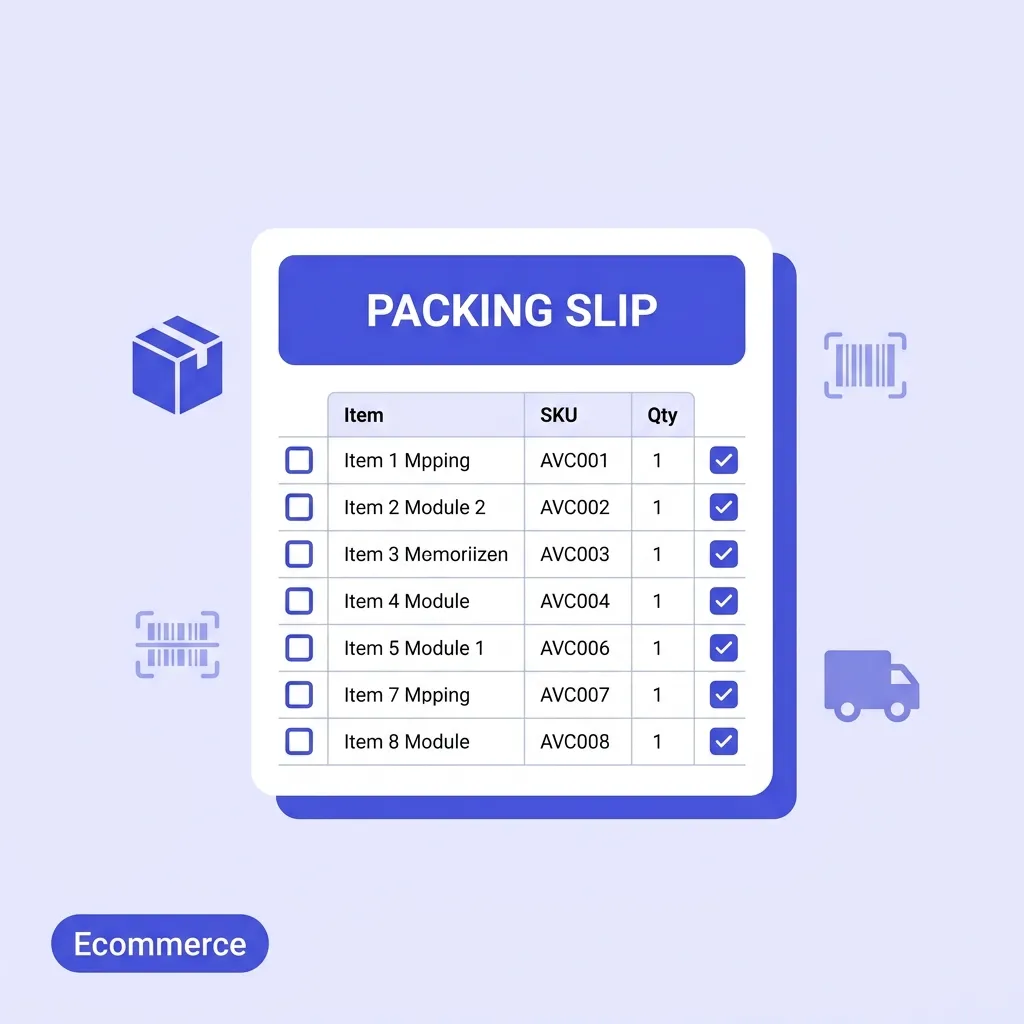
A packing slip (also called a delivery docket, dispatch note, or package contents list) is a physical document that accompanies a shipped order. It lists every item contained in the package, the quantities of each item, and any relevant reference information like order number, tracking number, and carrier name.
The most important characteristic of a packing slip is what it does not contain: prices. This is deliberate and important. A packing slip is a fulfillment verification tool, not a financial document. By keeping pricing off the packing slip, you:
Allow the package to be opened and verified by warehouse staff, receiving teams, or end consumers without exposing your pricing structure
Prevent gift recipients from seeing the cost of their present
Separate the shipping document from the billing document, which is sent separately as an invoice
Packing Slip vs Invoice — Key Differences
These two documents are often confused, but they serve completely different purposes:
Packing Slip
Invoice
Contains prices?
No
Yes
Purpose
Verify shipment contents
Request payment
Sent with/to
Inside or on the package
Separately to accounts payable
Used by
Warehouse, receiving team, customer
Finance, accounts payable, customer
Legally binding?
No
Yes
You should generate both documents for every B2B shipment: the packing slip goes with the goods, and the invoice follows for payment.
Packing Slip vs Bill of Lading
A bill of lading (BOL) is a legal document between a shipper and a carrier that details the terms of a freight shipment. Unlike a packing slip — which lists what is in the package for the recipient — a BOL describes the shipment terms for the transport company. For large freight shipments you may need all three documents: a packing slip, a BOL, and an invoice.
Why Packing Slips Matter More Than Most Businesses Realise
Many small businesses skip packing slips entirely when they first start, relying on the customer to remember what they ordered. This works until it does not — and when it stops working, the consequences are disproportionate to the oversight.
Returns and Disputes Become Unmanageable
When a customer claims they received the wrong item or a short shipment, the packing slip is the primary evidence document. If you have a packing slip showing what was packed and the customer has a packing slip showing what was received, discrepancies are immediately visible and attributable. Without a packing slip, you are left relying on customer recollection versus your warehouse records — a much harder dispute to resolve.
Warehouse Accuracy Drops Without Verification
A packing slip doubles as a pick-and-pack checklist for your warehouse or fulfillment team. As each item is picked from shelving and packed into the box, the picker checks it against the slip. This simple verification step dramatically reduces mispick rates — one of the most expensive recurring errors in fulfillment operations. Studies from warehouse management consultancies consistently show that using paper verification during packing reduces item errors by 30–50%.
Customer Experience and Brand Perception
Ecommerce customer experience research shows that the unboxing moment — the first physical interaction with your brand after purchase — has a significant impact on repeat purchase intent. A neatly folded, branded packing slip inside a well-packed box is a brand touchpoint that signals care, attention to detail, and professionalism. A missing packing slip, or a generic one with no branding, is a missed opportunity.
International Shipments Require Them
For international shipments, many customs authorities require a packing slip (or commercial invoice, or both) to be attached to the outside of the package in a clear document pouch. This allows customs officers to review the contents without opening the package. Without it, your shipment may be delayed, returned, or subject to additional processing fees.
What a Professional Free Packing Slip Generator Must Include
When evaluating tools to create your packing slips, most basic options give you a template with fields for product name and quantity. A professional packing slip generator free tool needs to handle the full range of real-world fulfillment scenarios.
No Prices — Intentionally
This is the most important distinction. A packing slip generator must suppress all pricing information from the document output. Quantities, yes. Line totals, no. Subtotal, no. Any free packing slip tool that includes pricing on the document is generating a hybrid that serves neither purpose cleanly.
Tracking Number and Carrier Fields
The tracking number is the most practically useful piece of information for the end customer. When they find the packing slip in their box, the first thing many people do is note the tracking number in case they need to raise a carrier query. The carrier name (UPS, DHL, FedEx, Royal Mail, etc.) tells them which company to contact. These fields should be prominent on the document.
Unit of Measure
For B2B and wholesale shipments, the unit of measure on each line is critical. Are you shipping 12 units or 12 boxes of 12? 5 kilogram bags or 5 individual kilograms? The unit of measure field eliminates this ambiguity and is especially important for bulk commodity shipments where quantities and pack sizes vary.
Pack Reference Number
A unique identifier for each packing slip (e.g. PACK-2026-041) allows your warehouse team to reference the document during picking, and gives the customer a reference number for any queries. This is especially important for businesses shipping high volumes where multiple packs may go to the same customer on the same day.
Ship From and Ship To Addresses
Both the sender's and recipient's full addresses should appear clearly. For B2B shipments, the Ship To address may differ from the billing address — the goods may be delivered to a warehouse or site address while the invoice goes to headquarters. This separation matters and should be captured explicitly.
Notes Field
Special handling instructions, return policy information, or a personalised thank-you message belong in a notes field that appears at the bottom of the packing slip. Many DTC ecommerce brands use this space for a short customer message ("Thank you for your order! Your satisfaction is our priority — if anything is wrong, please contact [email protected] within 14 days").
Brand Customisation
A packing slip from your business should look like it came from your business. Logo in the header, your brand colour on the document accents, your company name and address — all of these reinforce your brand at the moment the customer receives their goods. Generic, unbranded packing slips are indistinguishable from one another and miss the branding opportunity entirely.
One-Click Watermark-Free PDF
The whole point of a packing slip is that it gets printed and placed in or on a physical package. The PDF needs to be clean, A4 or Letter formatted, and ready to print the moment you click download. No watermarks, no upgrade prompts, no low-resolution output.
How to Create a Packing Slip for Free — Step by Step
Here is how to use our free packing slip generator to produce a professional, print-ready document in under three minutes.
📦
Free Packing Slip Generator
Add your logo, input your items, and generate a clean packing slip without prices. Perfect for fulfillment.
Open the document settings sidebar and configure your company identity — logo, brand colour, company name, and address. This is a one-time setup that persists locally between sessions. From your second packing slip onwards, your business details are pre-populated automatically.
Step 2: Enter the Ship From and Ship To Details
In the "From" section, confirm your dispatch address — the physical location the goods are shipping from. This may differ from your business billing address if you operate a separate warehouse.
In the "Ship To" section, enter the recipient's full delivery address. For B2B shipments, include the company name and any specific delivery instructions (loading bay number, attention to a named person, etc.).
Step 3: Add the Pack Reference and Carrier Details
Fill in the document header fields:
Pack Number — auto-generated (e.g. PACK-2026-001), or override to match your warehouse numbering
Date — defaults to today's date
Carrier — the shipping company handling the delivery (UPS, DHL, FedEx, Royal Mail, Australia Post, etc.)
Tracking Number — paste the tracking number from your carrier's shipping portal
The tracking number is what makes the packing slip immediately useful to the recipient — prioritise getting this right.
Step 4: Add the Items Being Shipped
Click "+ New Line Item" for each product in the shipment. For each row:
Enter a clear product description
Enter the quantity being shipped (not the total ordered — only what is in this specific package)
Select the unit of measure: pcs, boxes, kg, sets, pairs, litres, etc.
Note: no price fields appear on the packing slip. This is by design. Pricing is for the invoice — the packing slip is purely about verifying physical contents.
Step 5: Add Handling Instructions or Notes
Use the Notes section to include any information the recipient needs when they open the package:
Special handling: "Fragile — handle with care", "Keep refrigerated", "Do not stack"
Return information: "To return any item, please visit returns.yourstore.com within 30 days"
Customer message: "Thank you for shopping with us! We hope you enjoy your order"
Reference to the invoice: "Your invoice will arrive separately by email"
Step 6: Download and Print
Click "Download PDF" to save your completed packing slip. Print it at A4 or Letter size and either:
Place it inside the package, folded on top of the contents
Seal it in a clear document pouch affixed to the outside of the package (standard practice for international shipments and freight deliveries)
Packing Slip Best Practices for Ecommerce and Wholesale
Getting packing slips right consistently — not just occasionally — requires building them into your fulfillment process as a non-negotiable step. Here are the practices that professional fulfillment operations follow.
Generate the Packing Slip Before Picking Starts
The packing slip should be generated as soon as an order is confirmed, not after the box is packed. Using the slip as a picks checklist during the packing process — rather than as an afterthought — is what delivers the accuracy improvements that make it valuable. Print it first, pick against it, pack, and include it with the shipment.
Match Quantities to Actual Contents, Not the Full Order
If you are making a partial shipment — some items available now, some backordered — the packing slip should only list the items actually in this package. Do not list the full order with missing items crossed out. Generate a new, clean packing slip for each physical shipment. The sales order should track the overall order status; the packing slip documents exactly what is in this box.
Always Include a Packing Slip for Gift Shipments
For orders marked as gifts, a packing slip (without prices) is exactly the right document to include. It confirms what the gift contains without revealing what the sender paid. A gift without any contents documentation is confusing for the recipient. A gift with a priced invoice is even worse.
Use the Pack Number for Your Records
Keep a sequential log of packing slip reference numbers matched against order numbers, ship dates, and tracking numbers. This log is invaluable when a customer raises a "where is my order" query, when a carrier loses a shipment, or when you need to trace a specific lot of goods for quality or recall purposes.
Add Your Return Policy to Every Slip
Including returns information directly on the packing slip is one of the most effective ways to reduce the friction of product returns. Customers who know exactly how to return an item — rather than having to hunt for the information — are significantly more likely to return cleanly through your intended process rather than raising chargebacks or disputes.
Packing Slip Requirements for International Shipments
If your business ships internationally, the bar for packing slip completeness is higher. Different customs authorities have different requirements, but the following are broadly applicable across most international trade routes:
Full item descriptions — vague descriptions like "clothing" or "electronics" are not sufficient for customs. Each item should have a specific description that corresponds to its HS tariff classification.
Country of origin — for many product categories and trade routes, stating the country where the goods were manufactured is required on the accompanying commercial documentation.
Declared value — for the purposes of customs duty assessment, an invoice or commercial invoice (not the packing slip alone) is typically required showing the value. The packing slip handles the physical contents; the commercial invoice or pro forma handles the valuation.
Dual copies — many carriers and customs authorities require the document pouch to contain two copies of the shipping documentation: one for customs to retain and one to continue with the shipment.
For international shipments requiring trade-specific documentation, use our free pro forma invoice generator alongside the packing slip to produce a complete customs documentation package.
Frequently Asked Questions
Does a packing slip need to include prices?
No — a packing slip should never include prices. This is one of its defining characteristics. Prices belong on the invoice, which is sent separately. If you need a document that includes both contents and pricing, that is a commercial invoice, not a packing slip.
Is a packing slip required by law?
In most countries, packing slips are not legally mandated for domestic shipments. However, they are considered commercial best practice and may be contractually required by enterprise buyers or marketplace platforms. For international shipments, customs documentation requirements effectively mandate some form of contents declaration, which a packing slip satisfies.
What is the difference between a packing slip and a delivery note?
These terms are used interchangeably in most contexts and refer to the same document. "Delivery note" is more common in the UK and European markets; "packing slip" is the predominant term in North America and Australia. Both serve the same purpose: documenting the physical contents of a shipment for the recipient.
Can I use the same tool to generate invoices and packing slips?
Yes — our platform includes a full suite of interlinked document generators. For each outbound shipment, you can use the packing slip generator for the physical fulfillment document and the invoice generator for the payment request. Both tools share the same brand settings and are designed to work together as part of a complete fulfillment workflow.
How should I attach a packing slip to a package?
There are two standard methods: inside the package (placed on top of the contents, folded or in an envelope), or outside the package in a clear self-adhesive document pouch. For domestic ecommerce shipments, inside is most common. For international freight shipments, outside in a document pouch is standard practice and often required by customs and carriers.
What if I am shipping multiple boxes for one order?
Generate a separate packing slip for each physical box. Each slip should reference the same order number but list only the items in that specific box. Numbering convention such as "Pack 1 of 3", "Pack 2 of 3" helps the recipient track whether all packages have arrived.
Start Generating Professional Packing Slips Today
A packing slip is a small document with an outsized impact on fulfillment accuracy, customer experience, and dispute resolution. Every package you ship without one is a risk — to your customer relationship, your warehouse accuracy, and your ability to resolve delivery issues cleanly.
Our free packing slip generator gives every ecommerce seller, wholesaler, and distributor the professional document infrastructure that enterprise fulfillment operations rely on — branded, price-free, print-ready PDFs generated in under two minutes, with no account required and no watermarks.
A packing slip is a document included in a shipping package that lists all the items contained within it. It helps the warehouse pack the box accurately and helps the customer verify they received what they ordered.
Does a packing slip show prices?
No, packing slips typically do not include pricing or payment information. This is especially useful for gift orders where the recipient should not see the cost.
Is a packing slip the same as an invoice?
No. An invoice is a request for payment and includes prices, taxes, and billing terms. A packing slip only details the physical items in the shipment.
Why do e-commerce businesses need packing slips?
Packing slips reduce shipping errors, help manage partial shipments, provide a professional unboxing experience, and serve as a physical record if the package gets lost or damaged.
Do packing slips need a tracking number?
While not strictly required, including the order number and tracking number on the packing slip is highly recommended, as it makes customer service inquiries much easier to resolve.