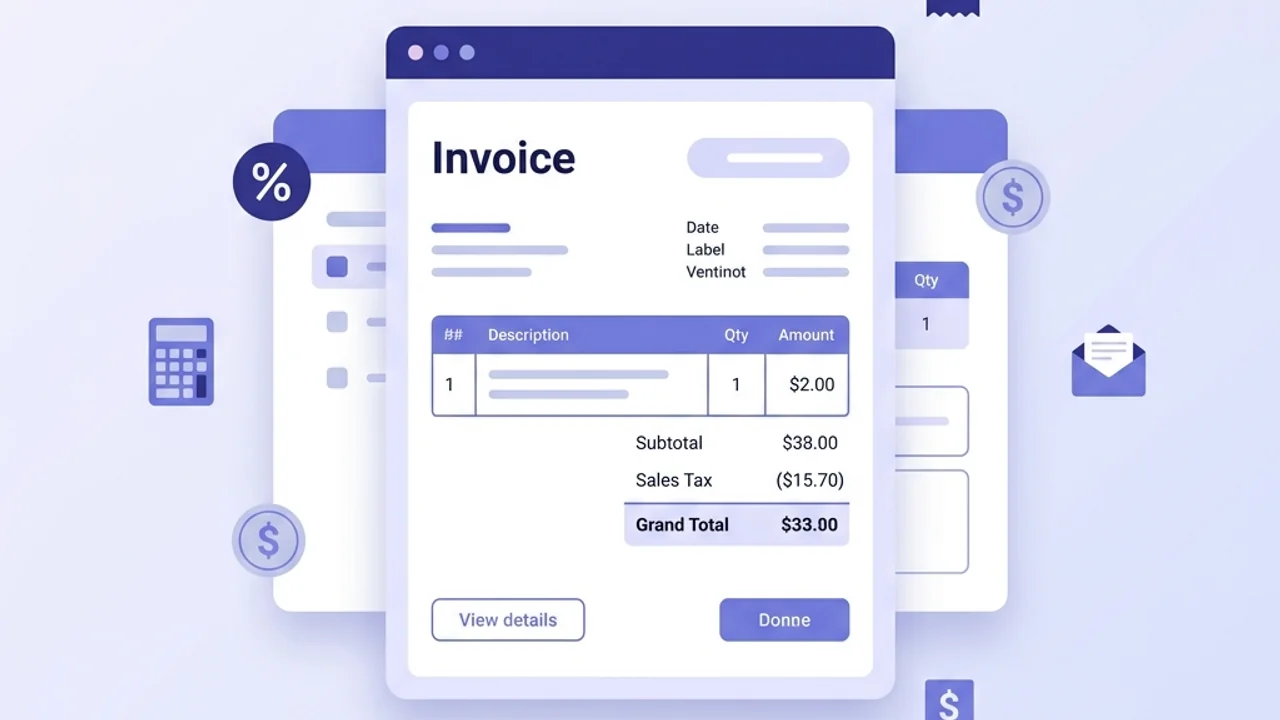
Learn how to calculate sales tax on invoice transactions. Read formulas, tax-inclusive vs. exclusive examples, nexus rules, and regional guidance.
BT
Bizcalc Team
·June 17, 2026
Quick Answer & Key Summary
Quick Answer: Calculating sales tax on client invoices requires identifying the correct destination-based tax jurisdiction, distinguishing taxable physical goods from exempt services, and itemizing tax rates explicitly.
• Key Formula / Standard:Sales Tax Amount = Taxable Subtotal × Combined State and Local Tax Rate % • Rule of Thumb / Benchmark: Always list sales tax as a distinct line item below the subtotal to remain compliant with state auditing rules.
Administrative compliance is a foundational aspect of operating a commercial enterprise. Among the recurring tasks that billing departments handle, the calculation and application of indirect taxes on customer invoices represents a critical workflow. Billing errors can lead to audits, financial penalties, and damaged client relationships.
For growing businesses, tax collection is rarely a simple task. Regional rules, shifting tax rates, and varying compliance thresholds across jurisdictions create a complex environment. A business selling goods or services online must determine not only when to collect tax, but also the correct rate to apply based on the customer's location, the nature of the product, and local regulations.
Understanding how to calculate sales tax on invoice documents is essential to maintaining accurate accounts and protecting your margins. By mastering the core mathematical formulas, setting up clean invoice templates, and utilizing structured tools, managers can ensure compliance while providing clear, professional billing to their clients.
⚖️
Sales Tax Calculator
Input your net prices and local tax rates to instantly calculate the tax amount and total gross price for your invoicing.
Before calculating the numbers, you must understand the specific type of indirect tax that applies to your transactions. While these systems share similarities, they differ in structure and reporting requirements.
1. Sales Tax
Sales tax is a single-stage tax collected at the final point of sale to the consumer. It is common in the United States, where it is administered at the state, county, and city levels rather than nationally.
Retail Level Collection: Only the end consumer pays sales tax. Wholesalers and manufacturers do not pay sales tax on items purchased for resale, provided they supply a valid resale certificate.
Destination-Based vs. Origin-Based: Some states use origin-based rules (charging tax based on where the seller is located), while most use destination-based rules (charging tax based on where the buyer receives the goods).
2. Value-Added Tax (VAT)
VAT is a multi-stage tax used in more than 170 countries, including the European Union, the United Kingdom, and parts of Asia.
Fractional Collection: VAT is collected at every stage of the supply chain. Businesses pay VAT on their purchases (input tax) and charge VAT on their sales (output tax). They then report and pay the difference to the tax authority.
Standard Invoicing Requirements: VAT invoices must display specific details, including the seller's VAT registration number, the rate of VAT applied to each line item, and separate totals for net, VAT, and gross amounts.
3. Goods and Services Tax (GST)
GST is functionally similar to VAT and is used in countries like Canada, Australia, New Zealand, and India.
Multi-Stage System: Like VAT, GST is levied at each stage of production and distribution, with businesses receiving credits for the tax paid on business inputs.
Invoicing Rules: GST invoices must show GST registration details and clearly distinguish taxable, zero-rated, and exempt supplies.
4. Tax Nexus: Physical vs. Economic Presence
Regardless of the tax system, you only charge tax if you have a "nexus" in the buyer's jurisdiction.
Physical Nexus: Established by having offices, employees, warehouses, or inventory located in a state or country.
Economic Nexus: Established by reaching specific sales revenue or transaction thresholds in a jurisdiction (e.g., $100,000 in sales or 200 transactions annually), even if you have no physical presence there.
The Mathematical Formulas for Tax Calculation
Calculating sales tax involves two primary scenarios: adding tax to a net subtotal (tax-exclusive) and extracting tax from a final price (tax-inclusive).
1. The Tax-Exclusive (Additive) Formula
When your prices are stated net of tax, you calculate the tax amount separately and add it to the subtotal. Use this formula:
Sales Tax = Net Subtotal * Tax Rate
To find the final gross total due:
Gross Total = Net Subtotal + Sales Tax
Which can also be calculated as:
Gross Total = Net Subtotal * (1 + Tax Rate)
For example, if you invoice a client for consulting services worth $1,500 and the local sales tax rate is 8.5% (0.085 as a decimal):
Sales Tax = $1,500 * 0.085 = $127.50
Gross Total = $1,500 + $127.50 = $1,627.50
2. The Tax-Inclusive (Extraction) Formula
In consumer retail and B2C services, prices are often displayed inclusive of tax. To report these sales correctly, you must extract the tax portion from the total revenue. Use this formula:
Net Subtotal = Gross Price / (1 + Tax Rate)
Once you have the net subtotal, find the tax portion by subtraction:
Sales Tax = Gross Price - Net Subtotal
For example, if you sell a retail product for a tax-inclusive price of $100 in a region with a 20% VAT rate (0.20 as a decimal):
If you simply multiplied the $100 gross price by 20%, you would calculate $20.00 of tax, which is incorrect. You would overpay the tax authority and erode your profit margins.
How to Format Sales Tax on a Professional Invoice
A professional invoice must be structured to show the transition from net prices to the final gross payment. Clear formatting prevents payment delays and helps your client's accounting department process the invoice.
Invoice Subtotal
Sum of all net line items before taxes and fees
+
Sales Tax / VAT / GST
Rate 1 (e.g., 8.25% standard sales tax on goods)
Rate 2 (e.g., 0% zero-rated or exempt services)
+
Shipping & Handling
Delivery fees, applying regional sales tax rules on shipping where required.
Final Due
Gross Total
Subtotal + Taxes + Shipping
Key Invoice Tax Elements
Tax Registration Numbers: Display your business's Tax ID, VAT registration number, or GSTIN near your contact information.
Taxability Indicator: Use a column on your line-item table (often labeled "Tax" or "T") with a checkbox or letter code (e.g., "T" for taxable, "E" for exempt) to indicate the tax status of each item.
Itemized Tax Summary: If you apply different tax rates on the same invoice (such as a standard rate on goods and a zero rate on services), include a summary section breaking down the tax amount collected at each rate.
📄
Invoice Generator
Create professional, tax-compliant invoices with automatic subtotal and sales tax calculations.
Step-by-Step Guide: How to Calculate Sales Tax on Invoice Transactions
When setting up your billing system, mastering how to calculate sales tax on invoice documents ensures compliance and accuracy for every transaction.
Step 1: Identify the Customer's Tax Jurisdiction
Determine the location where the transaction is taxable.
For Physical Goods: This is almost always the destination address (where the goods are delivered).
For Services: This depends on local rules, but often relates to where the client is established or where the service is performed.
Look up the Combined Rate: Ensure you use the current combined tax rate for that jurisdiction (including state, county, city, and district taxes).
Step 2: Classify the Taxability of Each Line Item
Do not assume that all products and services are taxed at the same rate.
Taxable Items: Most standard consumer goods and equipment.
Exempt Items: Services are exempt from sales tax in many US states. Basic groceries, prescription drugs, and educational materials are also frequently exempt or zero-rated.
Resale Sales: If the buyer is a distributor who will resell the product, collect their resale certificate and mark the transaction as tax-exempt.
Step 3: Compute the Net Subtotal for Taxable Items
Sum the net prices of all taxable items, applying any discounts first.
Apply Discounts Before Tax: If you offer a 10% volume discount, apply the discount to the subtotal first, then calculate sales tax on the discounted net amount.
Step 4: Apply the Tax Rate Formula
Calculate the tax amount using the appropriate tax-exclusive or tax-inclusive formula.
If you calculate tax line-by-line, round each line's tax to the nearest cent before summing.
If you calculate tax on the total taxable subtotal, round once at the end.
Step 5: Add Tax-Exempt Items and Shipping to Find the Total Due
Add the calculated sales tax to the net subtotal.
Add any tax-exempt line items.
Add shipping and delivery charges, applying sales tax to the shipping fee if required by local regulations.
Practical Calculation Examples
Let's review two common billing scenarios to illustrate the difference in calculations.
Scenario A: Tax-Exclusive Invoice (Additive Tax)
A business sells office furniture and consulting services. The office furniture is taxable at a standard rate of 8.25%, while the consulting service is tax-exempt. The business charges a separate delivery fee, which is taxable in this jurisdiction.
A digital services provider sells software licenses and training services directly to consumers in a region where prices must be displayed inclusive of a 20% VAT rate. The software license is standard-rated (20% VAT), while the printed training manuals are zero-rated (0% VAT).
Zero-Rated Line (Manual): Net Subtotal = $50.00 / (1 + 0.00) = $50.00. VAT Extracted = $0.00.
Invoice Summary: Net Subtotal = $150.00 + $50.00 = $200.00. Total VAT = $30.00. Grand Total = $230.00.
Using these tables, the business can accurately report $200.00 of revenue and record $30.00 in VAT liabilities.
Common Sales Tax Auditing Pitfalls to Avoid
Failing to calculate tax correctly can lead to costly errors during audits. Monitor these common pitfalls to protect your business.
1. Cumulative Rounding Discrepancies
Rounding errors occur when there is a mismatch between line-item rounding and subtotal rounding.
Line-by-Line Method: Round the tax on each individual item, then sum the rounded values.
Total Subtotal Method: Sum the net subtotals first, calculate tax on the total, and round once.
The Discrepancy: Both methods are acceptable, but you must use one consistently. Mixing them can create minor balance differences that trigger audit flags in automated accounting systems.
2. Charging Tax to Exempt Customers
Failing to collect and document exemption certificates is a common audit issue.
If a client claims they are tax-exempt (e.g., government entities, schools, or resellers), you must obtain their official exemption certificate before issuing a tax-free invoice.
Keep these certificates on file. During an audit, if you cannot produce a certificate for an exempt sale, the tax authority may hold your business liable for the unpaid tax plus interest.
3. Misclassifying Digital Products and Services
The tax status of digital items is changing rapidly.
Many regions that traditionally exempt services now charge sales tax or VAT on digital goods, SaaS platforms, and online courses.
Regularly check taxability definitions for digital downloads and cloud services in the jurisdictions where your customers live.
4. Overlooking Shipping and Handling Rules
Delivery fees are a frequent source of calculation errors.
In some states, shipping charges are exempt from tax if they are listed separately on the invoice. In other states, shipping is taxable if the items being delivered are taxable.
If you ship a mix of taxable and exempt items in a single package, you may need to allocate the shipping cost proportionally to calculate the correct tax.
Sales Tax Invoicing Checklist
Use this checklist to verify your invoice preparation and tax calculations:
Verify the customer's shipping address to identify the correct tax jurisdiction.
Re-check local tax rates quarterly to catch any changes in state, county, or city rates.
Confirm the tax status of each line item (taxable, zero-rated, or exempt).
Collect and file valid resale or exemption certificates for tax-free clients.
Apply any customer discounts to the subtotal before calculating the tax.
Confirm that your tax-inclusive pricing uses the division extraction formula rather than direct multiplication.
Display your business's Tax ID, VAT registration number, or GSTIN clearly on all invoices.
Reconcile your collected sales tax liabilities with your tax filings monthly.
Accurate billing requires attention to detail. Understanding how to calculate sales tax on invoice sheets, auditing your local tax rates, and utilizing automated invoice tools will help you manage your compliance obligations efficiently.
⚖️
Sales Tax Calculator
Verify your invoice calculations and ensure your tax collections match your local rate obligations.
To calculate sales tax, multiply the net subtotal of all taxable items by the applicable sales tax rate. The formula is: Sales Tax = Taxable Subtotal * Tax Rate. Add this tax amount to the subtotal to find the final gross total due from the customer.
What is the difference between tax-exclusive and tax-inclusive pricing?
Tax-exclusive pricing states the price of the product or service before taxes are added (taxes are calculated at checkout). Tax-inclusive pricing includes the tax amount directly inside the stated retail price, requiring the business to extract the tax portion later for reporting.
What is tax nexus, and how does it determine which rate to charge on an invoice?
Tax nexus is the level of connection a business has to a tax jurisdiction that obligates it to collect sales tax. Depending on local laws, nexus can be established through physical presence (offices, staff, warehouses) or economic presence (reaching a specific sales revenue or transaction threshold in that state or country).
How should a business handle tax rounding on invoices?
Businesses generally round tax calculations to the nearest minor currency unit (e.g., cents or pence) using the half-round-up method. The tax can be calculated and rounded line-by-line, or calculated on the total subtotal and rounded once, provided the method is applied consistently to avoid compliance discrepancies.
Do you charge sales tax on shipping and delivery fees?
The taxability of shipping and delivery fees varies significantly by jurisdiction. In some regions, delivery charges are fully taxable if they are part of a sale of taxable goods, while in other regions, they are exempt if they are stated as a separate line item on the invoice.
#how to calculate sales tax on invoice#sales tax calculator#invoice generator#tax compliance#accounting basics