Free Purchase Order Template for Small Businesses (+ Better Alternative)
Download our free small business purchase order template. Master essential PO fields, terms, and approval workflows to prevent vendor overbilling.
BT
Bizcalc Team
·April 19, 2026
Quick Answer & Key Summary
Quick Answer: A small business purchase order template formalizes the procurement workflow, enabling 3-way matching between the original PO, warehouse receiving slip, and final vendor invoice to catch billing discrepancies.
• Key Formula / Standard:3-Way Match Verification: Purchase Order Details === Receiving Dock Quantities === Final Vendor Bill • Rule of Thumb / Benchmark: Small businesses using standardized PO workflows eliminate up to 8% of annual procurement overpayment errors.
Every business that buys goods or services from suppliers eventually faces the same pain point: informal ordering creates chaos. A verbal instruction gets forgotten. An email thread gets buried. A supplier delivers the wrong quantity, at the wrong price, and suddenly you are having a difficult conversation with no documented proof of what was agreed.
A purchase order is the document that prevents all of this. It is a formal, numbered record of exactly what you are ordering, at what price, and under what terms — sent to a supplier before the goods or services are delivered. For small businesses in particular, formalising the purchase order process is one of the highest-leverage operational improvements available. It reduces supplier disputes, creates an audit trail for accounts, enables accurate budget tracking, and signals to suppliers that you are a professional, organised buyer.
This guide covers everything small businesses need to know: what a purchase order is, what belongs on it, the difference between a PO and an invoice, how to choose the right template format, and why a free online generator beats a Word or Excel template every time.
🏢
Free Purchase Order Generator
Skip the templates. Create professional, audit-ready POs with auto-calculated totals and instant PDF download.
A purchase order (PO) is a formal commercial document issued by a buyer to a supplier. It specifies the exact goods or services being ordered, the agreed quantities and prices, the expected delivery date and location, and the payment terms. When a supplier accepts a purchase order — either explicitly or by fulfilling it — the PO becomes a legally binding contract between the two parties.
The purchase order initiates the procurement cycle. It is the buyer's formal commitment to purchase, and the supplier's authorisation to proceed. Without it, procurement operates on trust and informal communication — which creates financial and operational risk.
Purchase Order vs Invoice: The Essential Distinction
These two documents sit at opposite ends of the same transaction:
Purchase Order
Invoice
Issued by
The buyer
The supplier
Issued when
Before goods/services are delivered
After goods/services are delivered
Purpose
Formalises the order and authorises the purchase
Requests payment for goods/services delivered
Creates
A contractual obligation to purchase
A payment obligation
References
What is being ordered
What was delivered, with reference to the PO
In a healthy procurement process, the invoice references the PO number — allowing the buyer to match the two documents (three-way matching with a delivery receipt) to verify that what was ordered, delivered, and invoiced are consistent before approving payment. This matching process is the foundation of robust accounts payable control.
Purchase Order vs Sales Order
These are the same transaction viewed from opposite sides:
A purchase order is what the buyer sends
A sales order is what the supplier creates in their own system to record the incoming order
When you send a PO, your supplier may internally generate a corresponding sales order referencing your PO number. Both documents describe the same transaction — they are simply the buyer's and seller's respective records of it.
Who Needs to Use Purchase Orders?
Purchase orders are relevant to virtually any business that buys goods or services from suppliers, but they become particularly important when:
You are buying from multiple suppliers and need to track orders across the business
You have delegated purchasing authority — team members place orders, and you need a formal approval mechanism
You deal with high-value or complex purchases where disputes about price or specification would be costly
You need to budget and forecast reliably — POs allow you to track committed spend before invoices arrive
Your suppliers are remote or international and informal communication is impractical
You are subject to audit or financial reporting requirements that demand procurement documentation
Industries that rely heavily on POs include manufacturing, retail, hospitality, construction, healthcare, professional services, and ecommerce — essentially any operation with a meaningful cost of goods.
What Every Purchase Order Must Include
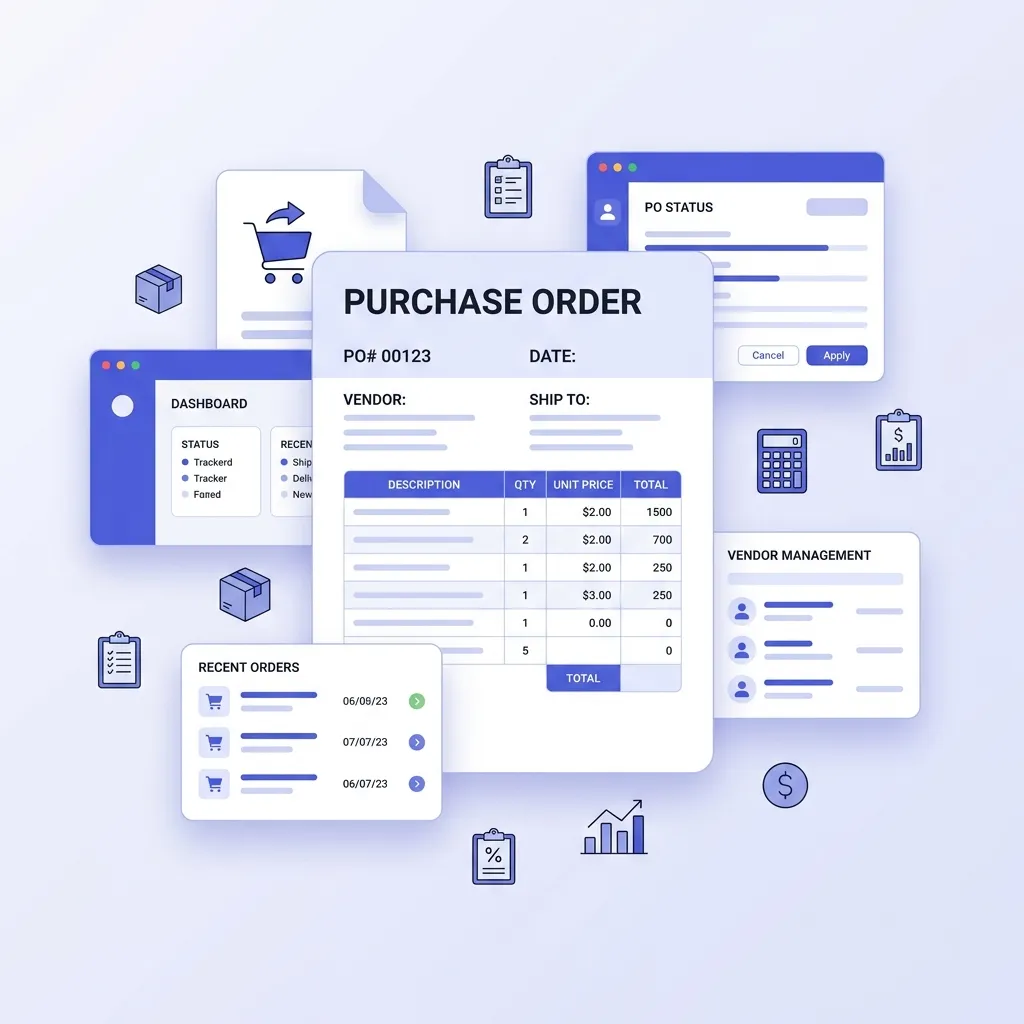
A professional purchase order contains these core components:
1. Buyer Information
Your company name and registered address
Contact details for the person managing the order
Your company registration or VAT/tax number where applicable
2. Supplier Information
Supplier company name and address
Supplier contact name (accounts or sales contact)
Any supplier account reference you hold
3. Purchase Order Header
PO Number: A unique sequential reference (e.g., PO-0001). This number is the primary reference for all subsequent communication with the supplier, including matching to their invoice. Never reuse PO numbers
PO Date: The date the order is issued
Expected Delivery Date: When you require the goods or services to be delivered
Delivery Address: Where the goods should be sent — which may differ from your registered business address
4. Line Items — The Order Detail
Each item being ordered should be a separate line:
Item description: Clear, unambiguous product or service name, including SKU or product code where relevant
Quantity: Number of units, hours, or deliverables ordered
Unit of measure: Units, hours, kilograms, metres — whatever is applicable
Unit price: The agreed price per unit
Line total: Quantity × Unit price
Be as specific as possible in descriptions. "Office supplies" is not a useful line item. "A4 80gsm copy paper — 5 reams — Product code CP-A4-80" is.
5. Financial Summary
After all line items:
Subtotal: Sum of all line item totals before tax
Discount: Any agreed discount, shown as a separate line for transparency
Tax: VAT, GST, or equivalent depending on jurisdiction — applicable rate and amount
Total: The total amount the buyer is authorising for payment upon satisfactory delivery
6. Payment Terms
State clearly:
Due date structure (e.g., net 30 days from date of invoice)
Inspection and rejection rights (the buyer's right to reject non-conforming goods)
Dispute resolution procedure
Governing law (particularly important for international orders)
8. Authorisation
For internal control purposes, the PO should carry the name and (for significant purchases) signature of the person authorised to commit the business to this expenditure. Many businesses implement a tiered approval system: purchases below a threshold can be approved by department managers, purchases above it require director or finance approval.
Free Purchase Order Template Options — And Their Limitations
Most small businesses start with one of these approaches:
Microsoft Word / Google Docs
Pros: Free, familiar, easy to customise once.
Cons: No calculations — you manually enter every total. Manual PO numbering — easy to duplicate or skip numbers. Formatting breaks between Word versions and devices. Exporting a clean PDF requires extra steps. No record of what orders have been placed without a separate tracking spreadsheet.
Excel / Google Sheets
Pros: Auto-calculates totals with formulas. Can be set up to auto-number POs if configured correctly.
Cons: Sending a spreadsheet to a supplier is unprofessional — suppliers expect a PDF. Table formatting for print or PDF export is notoriously awkward in spreadsheets. Formulas break if anyone edits the wrong cell. No single source of truth for outstanding orders without significant additional setup.
Pros: Full integration with accounts payable, invoice matching, and financial reporting.
Cons: These platforms charge monthly subscription fees typically ranging from $15 to $70+ per month for SMB plans. The purchase order module is often locked behind higher-tier plans. Consider this a longer-term investment, not a solution for a business issuing its first POs.
Free Online PO Generators
Our free purchase order generator provides the key benefits of paid accounting software for the PO creation step, without any subscription:
Auto-calculates all line totals, subtotals, tax, and grand total — zero arithmetic risk
Auto-increments PO numbers sequentially with no manual tracking required
Outputs a professional PDF instantly with consistent, print-ready formatting
No watermarks on downloaded documents
No account required — open, complete, and download
Your company details save locally — from the second PO onwards, your buyer information is pre-populated
Your data stays private — all processing runs locally in your browser; nothing is sent to or stored on any server
Step-by-Step: Creating a Purchase Order in Under 3 Minutes
Here is how to use Bizcalc's free purchase order generator:
🏢
Free Purchase Order Generator
Auto-numbered POs, dynamic line items, and professional PDF output. No account required, no watermarks.
Upload your logo (optional but strongly recommended — it signals professionalism immediately)
This information pre-fills on all subsequent POs automatically.
Step 2: Enter Supplier Details
In the "Supplier" section:
Supplier company name
Supplier contact name
Supplier address
If you order regularly from the same suppliers, note their details somewhere accessible so you can reference them quickly.
Step 3: Set the PO Number, Dates, and Delivery Details
PO Number auto-assigns the next sequential number. Override if your business uses a specific format (e.g., year-prefixed: PO-2026-001)
PO Date: Defaults to today
Required By / Expected Delivery Date: When you need the goods delivered
Delivery Address: Enter if different from your registered address
Reference: Any internal job number, project code, or cost centre this order relates to
Step 4: Add Your Line Items
Click "Add Line Item" for each product or service:
Description: Be specific. Include product codes, specifications, or model numbers where relevant
Quantity: How many units you are ordering
Unit Price: The agreed price per unit
All totals calculate automatically
Step 5: Set Payment Terms and Notes
Use the Terms/Notes field to state:
Payment terms (e.g., "Payment due 30 days from invoice date")
Specific delivery requirements (e.g., "Palletised delivery to loading bay. Contact John Smith on arrival")
Any special instructions or conditions
Step 6: Download and Send
Click "Download PDF" — your PO downloads immediately as a clean, professionally formatted document with no watermark. Email it to the supplier, or upload it to your procurement management system.
The Purchase Order Approval Process
For small businesses growing beyond the founder stage, an approval workflow for POs is essential for financial control. Without one, team members may commit the business to expenditure without appropriate oversight — leading to budget overruns, duplicate orders, and fraudulent purchases going undetected.
A simple tiered PO approval framework:
Purchase Value
Approval Required
Below $500 / $500
Department head can self-approve
$500 – $5,000
Department head approval required
$5,000 – $25,000
Finance manager or director approval
Above $25,000
Board or executive approval
Thresholds vary by business size — what matters is that the policy is written down, communicated to all staff with purchasing authority, and consistently applied. The PO system is the mechanism that makes this policy enforceable: no PO without the appropriate authorisation, no supplier payment without a matching approved PO.
Purchase Order Numbering: Best Practices
Your PO numbering system is the backbone of your procurement audit trail. Some best practices:
Sequential and unique: Never reuse a PO number. Even cancelled orders should retain their PO number, marked as "Cancelled" in your records. Gaps in the sequence should be explainable.
Consistent format: Choose a format and stick to it. Common formats:
PO-0001 (simple sequential)
PO-2026-0001 (year-prefixed — makes it easier to identify purchase period)
PO-DEPT-0001 (department-prefixed — useful for larger organisations with multiple purchasing centres)
Pre-populate on invoices: Instruct all suppliers that their invoices must reference your PO number. This single instruction dramatically speeds up invoice processing — your accounts team can immediately match each invoice to an authorised order rather than hunting for the original communication.
Three-Way Matching: The Gold Standard for Invoice Approval
Three-way matching is the accounts payable practice of verifying three documents before approving a supplier invoice for payment:
The Purchase Order — what was authorised to be ordered
The Delivery Receipt / Goods Received Note — what was actually received
The Supplier Invoice — what the supplier is billing for
All three should agree on quantity and price. If the invoice shows a higher unit price than the PO, or a greater quantity than the delivery receipt, the discrepancy must be investigated before payment is released.
For many small businesses, this process is informal — the owner or manager physically checks that the delivered goods match what was ordered and invoiced. But having the PO as the first document in the chain is what makes any matching possible at all. Without it, you are comparing an invoice to nothing.
Common Purchase Order Mistakes That Cost Small Businesses Money
Placing Orders Without a PO
Every verbal or informal order is a financial risk. If the price changes, the quantity is wrong, or the goods are not delivered, you have no documentation to fall back on. The discipline of issuing a PO for every purchase — even small ones — pays for itself the first time an informal order goes wrong.
Vague Item Descriptions
"Stationery — $150" invites a supplier to interpret this however they choose. Specific descriptions with product codes, specifications, and quantities create unambiguous orders and protect you in disputes.
Not Including a Delivery Date
Without a required delivery date, your supplier has no formal commitment on timing. Late deliveries cause operational disruption, and without a PO date on record, you have no basis for a formal complaint. Always specify required delivery dates.
Approving Invoices Without Matching to a PO
Paying supplier invoices without checking them against an authorised PO is one of the most common sources of overpayment, duplicate payment, and supplier fraud in small businesses. The purchase order creates the baseline — the invoice should match it.
No Records of PO Status
Issued a PO six weeks ago and have not heard from the supplier? Without a tracking system of some kind — even a simple spreadsheet listing PO number, supplier, value, required date, and status — outstanding orders are invisible. You need to know which POs are pending, which have been fulfilled, and which have been invoiced and paid.
International Purchase Orders: Additional Considerations
If you buy from international suppliers, your POs need additional elements:
Currency specification: State the invoice currency explicitly. Currency ambiguity leads to costly misunderstandings.
Incoterms: Define the delivery terms using standardised Incoterms (e.g., EXW, FOB, CIF, DDP). These determine precisely when risk and cost transfer from supplier to buyer during transit.
Customs and import documentation: For physical goods, you may need to reference your import/export codes on the PO. For larger shipments, the PO supports customs clearance documentation.
Payment method: International suppliers often require specific payment methods — SWIFT bank transfer, Letter of Credit for high-value orders, or escrow arrangements. State your intended payment method on the PO.
Language and jurisdiction: For significant international purchases, state the governing law and dispute resolution jurisdiction on the PO or an attached terms document.
Once goods arrive internationally, the packing slip your supplier sends with the shipment should match the quantities on your PO. Any discrepancy on arrival should be documented immediately before any payment is released.
Frequently Asked Questions
Is a purchase order legally binding?
Yes — a purchase order becomes legally binding when the supplier accepts it, either by explicitly confirming acceptance or by fulfilling the order. At that point, the PO constitutes a contract: the buyer is committed to purchasing and paying for what is described, and the supplier is committed to delivering it at the agreed price and terms. This is precisely why POs protect both parties: they document the exact terms to which both sides agreed before anything was delivered.
Do small businesses need purchase orders?
Not legally — but practically, yes. The moment a small business has more than two or three regular suppliers, or has staff placing orders on behalf of the business, a PO system pays dividends in supplier dispute prevention, budget control, and accounting accuracy. Many businesses start with a simple numbered PO template and scale up from there. Starting the habit early is far easier than retrofitting a system after problems have occurred.
What is a blanket purchase order?
A blanket purchase order (also called a standing order or framework order) is an agreement with a supplier to purchase goods or services over a defined period at agreed prices, without specifying exact quantities or delivery dates in advance. Individual delivery call-offs are then made against the blanket PO as needed. Useful for regular recurring purchases (office supplies, raw materials, maintenance services) where you want to lock in pricing without committing to specific quantities upfront.
Can a supplier change the price after receiving a PO?
Not without your agreement. Once a PO is accepted, the prices it contains are fixed terms of the resulting contract. A supplier may request a price change for future orders, but cannot unilaterally increase the price on goods already ordered under an accepted PO. If a supplier invoices at a price different from the PO, this triggers the matching discrepancy resolution process — typically a conversation with the supplier to issue a corrected invoice.
How long should I keep purchase orders?
Retention periods vary by jurisdiction, but as a general rule, keep all purchase orders for a minimum of 6–7 years after the end of the financial year to which they relate. In many countries this aligns with the statutory period for which tax and financial records must be retained. Purchase orders may also be relevant to warranty claims, insurance, or legal disputes arising from a purchase — another reason to maintain them long-term.
Should the PO total include or exclude tax?
Both approaches are valid — what matters is consistency and clarity. Many businesses prefer to state prices excluding tax on the PO (net prices), with the tax calculation appearing on the supplier's invoice. This is the most common approach in B2B trade. If you include tax on the PO, state the applicable rate and amount clearly. Whichever approach you use, ensure your suppliers understand what to expect and invoice accordingly.
From First PO to Full Procurement Control
A well-implemented purchase order process is one of the fastest ways a small business can achieve greater financial control, reduce supplier disputes, and gain visibility over committed spend. It does not require expensive software — it requires consistent discipline about when and how purchases are authorised and documented.
Start with Bizcalc's free purchase order generator — create your first properly numbered, professionally formatted PO today with no account, no subscription, and no watermarks.
Once your procurement process is formalised, complete your document workflow with our Invoice Generator to process supplier invoices once goods are received, and our Sales Order Generator to manage incoming customer orders alongside your outgoing POs.
🧾
Free Invoice Generator
Process supplier invoices, or create your own sales invoices to send to customers. Professional PDFs in seconds.
Yes, even small businesses benefit from POs. They create a clear paper trail, help manage inventory, and ensure you are billed correctly by your suppliers.
Can I use Excel or Word for purchase orders?
Yes, you can use our free templates in Excel or Word, but using a dedicated purchase order generator is often faster and helps prevent formatting errors.
How do I assign purchase order numbers?
PO numbers should be sequential (e.g., 1001, 1002). Some businesses add prefixes to identify departments or years, like 'HR-2026-1001'.
What does 'Net 30' mean on a purchase order?
'Net 30' is a payment term indicating that the buyer agrees to pay the total amount within 30 days after the goods are delivered and the invoice is received.
What happens if a supplier cannot fulfill the entire purchase order?
The supplier should notify the buyer immediately. The buyer can choose to accept a partial shipment, backorder the missing items, or cancel the unfilled portion of the PO.
#free purchase order template#purchase order template#PO template#small business purchase order#procurement template