The Best Free Proforma Invoice Generator for International Trade
Generate professional pro forma invoice PDFs online for free with no signup. Ideal for international customs, import quotes, and advance payments.
BT
Bizcalc Team
·April 12, 2026
Quick Answer & Key Summary
Quick Answer: A proforma invoice generator allows exporters and service providers to produce customized, professional preliminary invoices instantly, facilitating letter-of-credit financing and overseas customs import clearance.
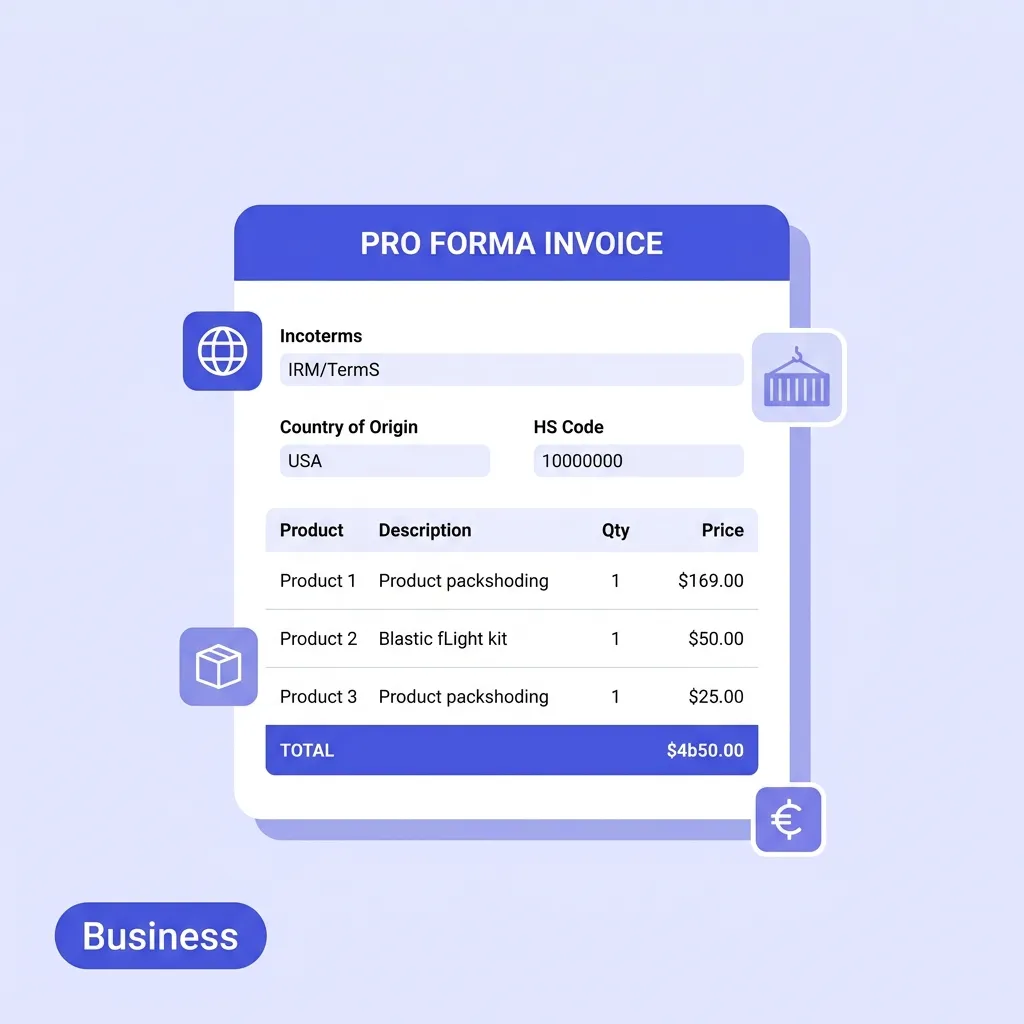
• Key Formula / Standard:Proforma Structure: Expiration Date, Country of Origin, Harmonized Tariff Code (HS Code), Currency, Incoterms • Rule of Thumb / Benchmark: Always specify Incoterms (e.g., FOB, CIF, DDP) to legally establish which party bears transit shipping risks.
If your business ships goods across borders — or needs to quote international buyers before a transaction is finalised — you need a pro forma invoice. But finding a free proforma invoice generator that actually understands international trade requirements can feel surprisingly difficult.
Most free tools online give you a basic invoice template and relabel it "pro forma". They miss the fields that customs authorities, banks, and import regulators actually need: Incoterms, country of origin, HS Tariff Codes, and VAT disclaimers.
In this guide, we will explain exactly what a pro forma invoice is, when you need one, and how our free online proforma invoice generator solves all of these problems without requiring a signup or subscription.
🌐
Free Pro Forma Invoice Generator
Create customs-ready pro forma invoices with Incoterms, HS codes, and VAT disclaimers. No account required.
A pro forma invoice is a preliminary, estimated invoice sent to a buyer before a commercial transaction is finalised. The term "pro forma" is Latin for "as a matter of form" — it signals that the document is a formality and not a final demand for payment.
Pro forma invoices serve several important purposes:
Customs pre-clearance: Import authorities in most countries require a pro forma invoice before physical goods arrive, so they can assess applicable duties and taxes in advance.
Import permits and licences: Many countries require buyers to submit a pro forma invoice when applying for an import licence or foreign exchange permit.
Letters of credit: Banks issuing letters of credit to finance international purchases typically require a pro forma invoice that outlines the transaction terms.
Buyer budgeting and approval: Buyers use pro formas to get internal approval for a purchase before committing. It is essentially a formal quote with trade-specific fields.
Pro Forma Invoice vs Commercial Invoice
This is the most common source of confusion. Here is how they differ:
Pro Forma Invoice
Commercial Invoice
When issued
Before sale is finalised
After goods ship
Purpose
Estimate, customs pre-clearance, financing
Payment request, customs clearance
Legally binding
Generally not
Yes
Used for payment
No
Yes
A pro forma is always followed by a commercial invoice once the transaction is complete. The values should match — discrepancies can delay customs clearance.
The Problem With Generic Invoice Templates
Most businesses start with a Word document or a downloaded Excel template. This approach fails in international trade for several reasons:
Missing trade-critical fields. A standard invoice template has no place for Incoterms, country of origin, or HS Tariff Codes. Omitting these from a pro forma sent to customs can result in shipment delays or rejection.
No automatic calculations. When you adjust quantity or rate in a spreadsheet, it is easy to miss a formula cell and submit an incorrect total — which then mismatches the commercial invoice and causes customs disputes.
No VAT disclaimer. Pro forma invoices sent internationally should clearly state that the prices shown are estimates and do not include final VAT, duties, or customs charges. Forgetting this clause can create legal ambiguity.
Professional appearance matters. A poorly formatted Word document with misaligned columns signals to international buyers that your business lacks the infrastructure for smooth cross-border transactions.
This is where a dedicated proforma invoice generator free of complicated setup makes a real difference.
Key Features of Our Free Online Proforma Invoice Generator
Our free proforma invoice generator was built specifically to address every requirement of international trade documents. Here is what makes it stand out:
1. Incoterms Dropdown
International Commercial Terms (Incoterms) define who bears the cost, risk, and responsibility for transporting goods. Our generator includes all major Incoterms as a dropdown:
EXW (Ex Works) — Buyer arranges all transport from your premises
FOB (Free on Board) — You cover costs until goods are loaded on the ship
CIF (Cost, Insurance, Freight) — You cover shipping and insurance to the destination port
DDP (Delivered Duty Paid) — You cover everything, including customs duties at destination
DAP, CFR, CPT, FCA — and more
The chosen Incoterm appears as a clear, styled badge on the document preview and is printed on the PDF — exactly what customs authorities and banks expect to see.
2. Country of Origin Field
The country where your goods were manufactured or substantially transformed must appear on pro forma invoices for customs purposes. Import duty rates are often determined by the country of origin — so this field is legally important, not just informational.
Our generator adds this field to both the document preview and the exported PDF in the correct position.
3. HS Tariff Code Column
The Harmonised System (HS) code is a 6-digit international product classification code used by customs authorities worldwide. Every line item on a customs-facing invoice should include its HS code.
Our free invoice proforma generator adds a dedicated "HS Tariff Code" column to the line items table — something almost no other free tool provides. You can enter the appropriate code for each product line, and it will appear clearly in the PDF.
Tip: You can look up your product's HS code at the World Customs Organization website or your country's national customs tariff schedule.
4. VAT Disclaimer Toggle
A VAT disclaimer is a standard clause that protects you legally by making clear the prices on the pro forma are estimates and do not represent the final tax liability. Our generator includes a one-click VAT Disclaimer toggle. When enabled, this text is automatically added to the bottom of your PDF:
"VAT DISCLAIMER: The prices shown on this Pro Forma Invoice are estimates and may not include all applicable taxes, duties, or customs charges. VAT and other applicable taxes will be calculated and applied on the final commercial invoice in accordance with the prevailing regulations of the destination country."
This is the kind of professional detail that distinguishes a trade-ready document from a basic template.
5. QR Code for Payment Portal
If your business uses an online payment portal, bank payment link, or trade finance platform, you can paste the URL and our generator will embed a scannable QR code in the PDF. Buyers can simply scan the code to access the payment link without manual URL entry.
6. 100% Private & Client-Side
All document data is processed entirely within your browser using JavaScript. Nothing is ever uploaded to a server. Your trade data, pricing, and buyer details remain completely private on your device — a critical requirement for sensitive international trade transactions.
7. Professional PDF with No Watermarks
Click "Download PDF" to instantly save a clean, branded PDF document. No watermarks. No account needed. No expiry. Just a professional document ready to send.
When Do You Need a Pro Forma Invoice?
Here are the most common situations where a pro forma is required or strongly recommended:
Exporting goods internationally. If you are an exporter shipping physical goods overseas, a pro forma invoice is typically required by the importer's customs authority before the shipment arrives.
Applying for import licences. Many countries require importers to submit a pro forma invoice when applying for import permits, especially for controlled goods or foreign exchange approval.
Opening a letter of credit. Banks require a pro forma invoice when a buyer is financing the purchase through a letter of credit. The details in the pro forma must match the eventual commercial invoice.
Getting buyer approval. Before committing to a large purchase, international buyers often require a pro forma to present to their internal finance or procurement teams for budget approval.
Customs duty estimation. Customs brokers use pro forma invoices to calculate estimated duties and taxes before a shipment arrives, helping importers plan their cash flow.
How to Create a Pro Forma Invoice in 4 Steps
Using our free online proforma invoice generator takes less than three minutes. Here is the complete process:
🌐
Free Pro Forma Invoice Generator
Includes all the fields international trade actually requires: Incoterms, HS codes, country of origin, and VAT disclaimers.
Fill in your company name, email, and address in the "From" section. Then enter the buyer's full name, company, email, and address in the "Bill To" section. For international shipments, include the full country name.
Step 2: Set Trade-Specific Fields
In the top-right header area of the document, you will find the pro forma-specific fields:
Set the Incoterms from the dropdown (e.g. FOB, CIF, DDP)
Enter the Country of Origin (e.g. Germany, China, United States)
Set the Valid Until date — the expiry date for your quoted prices
Optionally add a Payment Link URL for QR code generation
Toggle the VAT Disclaimer checkbox to include the standard boilerplate at the bottom of your PDF.
Step 3: Add Line Items with HS Codes
Use the line items table to list each product being offered. For each row, enter:
Description — product name and specification
Quantity — number of units
Unit of Measure — pcs, kg, boxes, pallets, etc.
HS Tariff Code — the 6-digit classification code for customs
Unit Price — the estimated price per unit in your chosen currency
The total and subtotals calculate automatically as you type.
Step 4: Apply Tax, Discounts, and Download
Add any applicable tax rates or shipping costs using the sidebar toggles. Include any special shipping instructions or payment terms in the Notes and Terms sections. Then click "Download PDF" to instantly save your completed pro forma invoice.
What Our Generator Gets Right That Others Miss
When you search for a free proforma invoice generator, most results give you one of two things: a basic invoice template that has been relabelled, or a feature-locked "freemium" tool that requires a paid plan to remove watermarks.
Our generator is different:
Feature
Most free tools
Bizcalc Generator
Incoterms field
❌
✅
HS Tariff Code column
❌
✅
Country of Origin
❌
✅
VAT Disclaimer
❌
✅
QR code for payment
❌
✅
Watermark-free PDF
❌ (paid)
✅ Free
No signup required
❌
✅
100% private (no server)
❌
✅
Pro Forma Invoice Best Practices
Before sending your pro forma, run through this checklist:
✅ Match the commercial invoice values — discrepancies cause customs delays
✅ Include the correct Incoterms — get confirmation from your freight forwarder
✅ Verify HS codes — wrong codes can result in incorrect duty rates
✅ State the currency clearly — always include the currency code (USD, EUR, GBP)
✅ Set a validity date — pro formas should not be treated as open-ended offers
✅ Include the VAT disclaimer — especially for EU and UK shipments
✅ Keep a copy on file — match it against the final commercial invoice when issued
Start Generating Pro Forma Invoices for Free
Whether you are a small business just starting to export, or an established trader who needs a quick, no-login tool for occasional pro forma documents, our free proforma invoice generator has you covered.
No subscriptions. No watermarks. No account. Just a clean, trade-ready PDF — customised with your logo, brand colours, and all the fields international trade actually requires.
A proforma invoice generator is a tool that helps businesses create preliminary bills or quotes for goods or services before they are officially supplied or delivered.
Is a proforma invoice a real invoice?
No, a proforma invoice is not a finalized invoice or tax document. It acts as an estimate or formal quote to confirm the details of a transaction before it is finalized.
Can a customer pay from a proforma invoice?
While some customers may send prepayment based on a proforma, you must still issue a final commercial invoice once the transaction is completed for accounting and tax purposes.
What should be included on a proforma invoice?
It should include buyer and seller details, item descriptions, quantities, estimated prices, shipping costs, and a clear label stating 'Proforma Invoice'.
How does a proforma invoice differ from a quote?
A quote is typically an initial offer, while a proforma invoice is often sent after the customer has agreed to the quote, serving as a final confirmation of costs before shipping.