Free Packing Slip Template for Ecommerce Sellers (+ Better Alternative)
Download our free ecommerce packing slip template. Cut shipping errors, protect against delivery disputes, and print custom PDF packing slips fast.
BT
Bizcalc Team
·April 18, 2026
Quick Answer & Key Summary
Quick Answer: An ecommerce packing slip template gives warehouse staff an exact picking list and provides recipients with clear physical proof of shipped contents, helping resolve courier damage and missing item claims immediately.
• Key Formula / Standard:Key Components: Order Date, Customer PO#, Ship-To Address, Box Count, Itemized Quantities, Support Contacts • Rule of Thumb / Benchmark: Standardize slip printing directly from shipping labels to eliminate cross-box packing mismatches.
Every ecommerce order that leaves your warehouse or fulfilment centre carries two documents that most customers never consciously notice — but whose absence they notice immediately when something goes wrong.
The first is the invoice or receipt. The second is the packing slip.
A packing list, shipping slip, or delivery note — all common names for the same document — is a detailed itemised list of the contents of a shipment. It travels inside or attached to the package, and it serves a purpose that goes far beyond simple paperwork: it is the document that enables accurate receiving at the customer's end, drives your returns process, protects you in carrier disputes about lost or damaged items, and communicates your brand at the critical moment a customer opens their order.
This guide covers everything ecommerce businesses need to know about packing slips: what they are, what they must contain, how they differ from invoices, why they matter for fulfilment operations, how to handle them for international shipments, and how to generate professional ones without a template or special software.
📦
Free Packing Slip Generator
Skip the templates. Create professional, branded packing slips in seconds. No account required, instant PDF download.
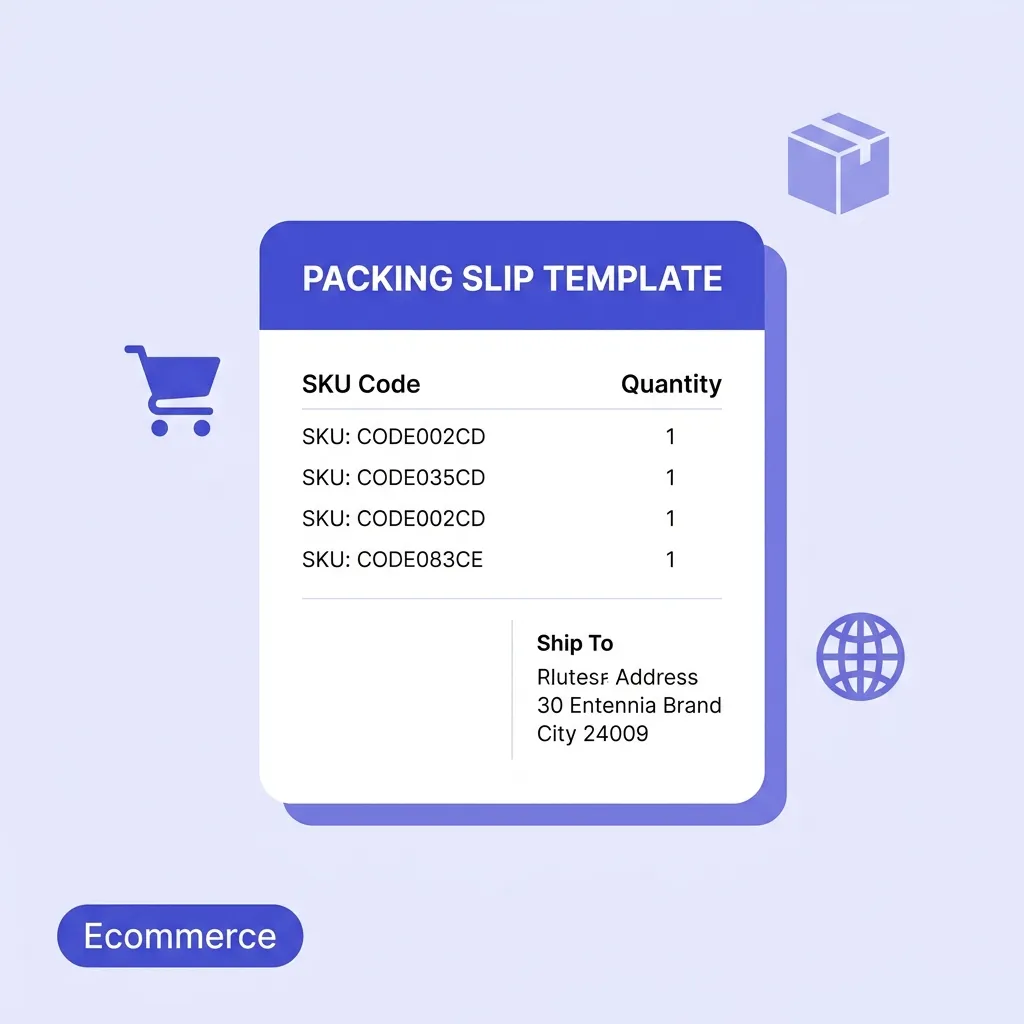
A packing slip (also called a packing list, delivery slip, shipping list, or dispatch note) is a document included with a shipment that lists the specific contents of that package. It provides a record of what was packed, in what quantities, and from which order — allowing the recipient to verify that everything they ordered has arrived.
Unlike an invoice, a packing slip does not show prices. Its purpose is purely operational: it describes what is in the box, not what it cost.
In warehouse and fulfilment operations, packing slips are generated at the pick-and-pack stage. The picker uses the packing slip as a checklist to gather items, verifies the contents before sealing the box, and includes the slip with the shipment. At the receiving end, the customer (or a warehouse team for B2B shipments) checks the delivered items against the packing slip to confirm the order is complete and correct.
Packing Slip vs Invoice: A Critical Distinction
These two documents are frequently confused — and occasionally combined into one, which is sometimes appropriate and sometimes absolutely not.
Packing Slip
Invoice
Contains prices
No
Yes
Purpose
Verify shipment contents
Request payment
Recipient uses it to
Check what arrived
Authorise payment
Travels with
The physical package
Package or sent separately
Required for customs
Yes (international shipments)
Yes (as a separate document)
Why not combining them matters: Many B2B buyers specifically instruct suppliers not to include pricing information inside the package — because the goods may be received by a warehouse team or end customer who should not see the cost. Gift orders are an obvious example: if a customer has ordered a gift to be shipped directly to a recipient, a packing slip without pricing allows the recipient to check contents without revealing what was paid.
For international shipments, customs authorities require both a packing slip (contents description and quantities) and a commercial invoice (values) as separate documents. Combining them into one is not acceptable for customs clearance purposes.
Packing Slip vs Bill of Lading
A bill of lading (BOL) is a different document issued by a freight carrier, not by the seller. It is a formal receipt from the carrier acknowledging they have taken possession of a shipment for transport, and it functions as a title document for the goods in transit. A packing slip is seller-generated and describes the contents; a bill of lading is carrier-generated and acknowledges custody.
For small parcel shipments (individual packages via couriers), a bill of lading is not typically required — your packing slip and the carrier's tracking number are sufficient. For freight shipments, both documents are usually required.
Who Needs a Packing Slip?
Packing slips are relevant across a wide spectrum of B2C and B2B shipping scenarios:
Wholesale distributors shipping stock to retailers or stockists
Manufacturers shipping components or finished goods to trade buyers
Subscription box businesses including pick-lists to verify contents for fulfilment teams
Drop shippers passing orders through to suppliers who ship directly to end customers
B2B sellers shipping goods to corporate accounts where the delivery is received by a different team from the one that placed the order
International exporters where customs authorities require detailed content documentation
If you put goods in a box and send it to someone, attaching a packing slip is best practice.
What Every Packing Slip Must Include
A complete, professional packing slip contains these elements:
1. Seller Information
Business name and address
Contact details (email and/or customer service phone number)
Business logo (for branded customer experience)
2. Recipient / Ship-To Information
Recipient's full name
Delivery address — every line, including postcode/ZIP code and country for international shipments
Contact phone number (useful for carrier delivery issues)
3. Order Reference Information
Order Number: Your internal order reference. This is the primary reference the customer will quote if they contact you about the order
Packing Slip Number: A unique document reference for internal tracking
Order Date: When the order was placed
Despatch Date: When the package leaves your facility
Tracking Number / Carrier: If known at the time of packing, this is invaluable for customer communications
4. Itemised Contents
For each item in the shipment:
Product Name / Description: Clear, recognisable description matching what the customer ordered
SKU or Product Code: Your internal reference code — essential for warehouse operations and returns processing
Quantity Ordered: What the customer ordered
Quantity Shipped: What is actually in this box — which may differ if you are split-shipping or have a partial stock issue
Notes on Back-ordered Items: If any items are missing because they will ship separately, this must be clearly stated
If you regularly split orders across multiple shipments, include "Package X of Y" notation so the customer knows additional packages are coming.
5. Special Instructions or Notes
Return policy reference or returns address
Care instructions for the product (particularly for apparel, food, or fragile items)
Promotional messaging or discount codes for next purchase
Gift message (if the order was a gift and the buyer submitted a message at checkout)
Thank-you note — a brief personalised thank-you measurably improves customer satisfaction and review rates
6. Returns Information
For ecommerce businesses, including returns instructions directly on the packing slip dramatically reduces friction and customer service queries. At minimum, include:
Your returns policy summary (standard returns window, condition requirements)
How to initiate a return (link, email, or QR code to your returns portal)
Whether the original packing slip should be included with a return
Free Packing Slip Template Options — And Their Limitations
Here are the most common approaches ecommerce sellers use for packing slips, and why each creates friction at scale:
Manual Word / Google Docs Templates
Pros: Free, fully customisable, no software dependency.
Cons: Every order requires manual data entry — product names, SKUs, quantities, and addresses copied from your order management system. Error-prone, time-consuming, and completely unscalable beyond a handful of orders per day. No auto-numbering. Formatting inconsistency between documents.
Excel / Google Sheets Templates
Pros: Can be set up with basic automation and formulas.
Cons: Still requires manual data entry per order. Exporting a clean PDF per order requires extra steps. Not designed for producing print-ready fulfilment documents quickly.
Ecommerce Platform Auto-Generated Slips
Pros: Platforms like Shopify, WooCommerce, and Amazon automatically generate packing slips.
Cons: Limited customisation — typically basic templates with no branding flexibility. Cannot be customised for special orders, wholesale customers, or orders with gift messages and specific formatting requirements. No control over layout or content.
Free Online Packing Slip Generator
Our free online packing slip generator gives you full control over your packing slip content and branding while automating the document production:
📦
Free Packing Slip Generator
Auto-populate details, add line items, and generate a clean PDF instantly without watermarks.
Open the generator and configure your business details:
Business name and address
Customer service contact email/phone
Upload your logo for branded slips
Set your preferred accent colour
This is saved locally and pre-fills on all future packing slips automatically.
Step 2: Enter the Ship-To Details
Recipient's full name
Full delivery address including postcode/ZIP and country
Contact phone (optional but useful for courier queries)
Step 3: Set Order References and Dates
Order number — copy from your order management system or platform
Packing slip number — auto-assigned sequentially
Order date — when the customer placed the order
Despatch date — when you are shipping
Carrier and tracking number — if available at packing time
Step 4: Add Line Items
Click "Add Item" for each product in the shipment:
Product name/description
SKU or product code
Quantity ordered
Quantity shipped (these will differ if you are split-shipping)
Items that will ship separately should be noted with quantity shipped as zero and a note such as "Back-ordered — ships separately by [estimated date]."
Step 5: Add Notes and Returns Information
Use the notes field for:
Gift message if applicable
Returns instructions
Thank-you message
Promotional code for next order
Any special handling instructions
Step 6: Download and Print (or Attach Digitally)
Click "Download PDF" — your packing slip downloads immediately as a clean, professionally formatted document. Print it and include it in the package, or attach it digitally if your fulfilment workflow permits.
Packing Slips for International Shipments
For cross-border ecommerce, packing slips take on additional regulatory significance. Customs authorities in most countries require accompanying documentation that describes the contents of international packages in detail.
Required Information for International Packing Slips
In addition to the standard components above, international shipments typically require:
Country of origin for each item (where the product was manufactured, not where you are shipping from)
HS Code (Harmonised System Code): The international product classification code, which customs use to determine applicable duties and taxes
Total declared value: The customs value of the contents — note that this is the commercial value, not what you choose to declare; misrepresenting customs value is illegal and can result in seizure or penalties
Number of packages and total weight for multi-package shipments
"Gift" designation: If the shipment is a personal gift, some customs authorities apply reduced duties. Mark this clearly if applicable and within your jurisdiction's rules
Commercial Invoice as a Separate Document
For international shipments, customs requires a commercial invoice as a separate document from the packing slip. The commercial invoice states the value of the goods; the packing slip describes the quantity and description. These should always agree on product descriptions and quantities but serve different purposes in the customs clearance process.
If you are shipping internationally regularly, the invoice generator can produce the accompanying commercial invoice alongside your packing slip.
Incoterms and Duty Responsibility
For B2B international shipments, the packing slip should reference the agreed Incoterms (e.g., DDP — Delivered Duty Paid — means you the seller are responsible for duties and taxes; DAP — Delivered At Place — means the buyer handles customs clearance). This prevents disputes about responsibility for import duties and delays.
Packing Slips and Your Returns Process
One of the most underused functions of a well-designed packing slip is streamlining the returns process. Returns are an operational cost every ecommerce business carries — how efficiently you process them directly impacts your margins and your customer satisfaction scores.
What to Include on Your Packing Slip for Returns
Return window: Clearly state how many days after receipt the customer can return (e.g., "30-day returns from date of delivery")
Return condition: "Unused, in original packaging" or your specific policy
How to initiate: Email address, returns portal URL, or QR code linking directly to your returns page
Whether to include the packing slip: Many fulfilment operations require the original packing slip to be enclosed with a return to enable fast processing
Return address: State explicitly if the return address differs from your business address
Using the Packing Slip for Returns Matching
When a return arrives, the packing slip (returned with the item) enables your warehouse team to immediately match the return to the original order, verify the item returned matches what was shipped, and process the refund or exchange efficiently. Without this document, returns matching relies on the customer having correctly noted their order number — which many do not.
Operational Best Practices for Ecommerce Packing Slips
Print Quality Matters
Packing slips that are difficult to read — blurry, low contrast, or printed on poor quality paper — create unnecessary friction. If your customers are separating the packing slip to use as a return document, they need to be able to read it clearly. Use at least 300 DPI print resolution and standard white paper.
Consistency Across Orders
Every order from your business should include a packing slip with consistent formatting, branding, and information. Inconsistency undermines the professional impression you are building and creates confusion when customers need to reference documents.
Separate the Packing Slip from the Invoice for B2B Orders
B2B buyers — particularly retailers stocking your products — will often have a receiving team who opens packages separately from the finance team who handles invoices. The receiving team needs the packing slip; the finance team needs the invoice. Combining them or sending only an invoice creates operational problems at the buyer's end.
Use the Packing Slip as a Brand Touchpoint
The moment a customer opens a package is one of the highest-attention moments in the entire customer journey. A well-designed packing slip — featuring your logo prominently, your brand colours, a personal thank-you, and perhaps a discount code for next purchase — converts a functional document into a marketing touchpoint that actively drives repeat business.
Research by various ecommerce platforms consistently shows that including a personalised thank-you with a discount code for the next purchase increases repeat purchase rate meaningfully. The packing slip is the natural home for this communication.
Frequently Asked Questions
Is a packing slip legally required?
For domestic shipments within most countries, a packing slip is not legally mandated — but it is practically essential for professional fulfilment operations. For international shipments, customs authorities in most countries require accompanying documentation describing the contents, which is effectively a packing slip (or commercial invoice with equivalent information). Check the specific import requirements for the destination country you are shipping to.
Should a packing slip include prices?
For most B2C ecommerce orders, prices are deliberately excluded from packing slips. This allows gifts to be shipped to recipients without revealing the cost, and keeps the packing slip focused on its operational function — verifying shipment contents — rather than acting as a payment request. If you need to include pricing (for customs purposes or B2B buyers who require it for their accounts payable process), include it alongside the standard content but clearly mark the document as a "Packing List with Values" or use a combined commercial invoice/packing list format.
What is the difference between a packing slip and a delivery note?
The terms are often used interchangeably, but in some contexts:
Packing slip typically refers to the document inside the package
Delivery note may refer to a document signed by the recipient upon delivery to acknowledge receipt
In practice, most ecommerce businesses use either term to mean the same thing. The functional requirement is the same: a document that lists what was shipped and enables the recipient to verify receipt.
Can I use my packing slip as a return label?
No — a packing slip and a return shipping label are different documents. A return shipping label is a pre-paid or pre-addressed postage label generated by a carrier. However, your packing slip can (and should) include the return address and return initiation instructions, making it easy for the customer to find the information they need to return an item even if you issue the actual return label separately.
How many copies of a packing slip do I need?
For most ecommerce operations, one copy travels inside the package. If you use a warehouse management system, a digital copy is retained against the order record. For freight shipments carried on pallets, a second copy is often attached to the outside of the pallet in a waterproof document sleeve. International shipments may require multiple copies for customs clearance.
What should I do if a customer says items are missing from their order?
The packing slip is your first line of defence. Your own copy (or digital record) shows what was packed and shipped. If the packing slip records the correct quantity shipped, the discrepancy may be a picking error, a carrier theft or damage issue, or a customer miscount. Request that the customer check the package and packing slip carefully and, if discrepancy remains, initiate a claim with the carrier (supported by your packing record) or arrange a replacement for confirmed picking errors.
Pack Smarter. Ship Professionally.
A well-executed packing slip is invisible when everything goes right — and invaluable when anything goes wrong. It protects you in disputes, streamlines your returns process, enables accurate receiving at the customer's end, and communicates your brand at the highest-attention moment in the delivery experience.
Our free packing slip generator produces professional, branded packing slips in under two minutes — no account, no subscription, no software installation. Your data stays entirely in your browser.
Complete your ecommerce fulfilment document stack with our Sales Order Generator to formally record incoming customer orders, and our Purchase Order Generator to manage your own supplier orders.
🧾
Free Invoice Generator
Need a commercial invoice for international shipments or B2B customers? Generate a professional invoice to match your packing slip.
What information goes on an e-commerce packing slip?
It should include your store's branding, the order date, a unique order number, the shipping and billing addresses, and a detailed list of item names, SKUs, and quantities.
How do packing slips handle backordered items?
A good packing slip clearly separates items that are included in the current box from items that are out of stock or shipping separately in a later package.
Can I use a packing slip as a return label?
Some businesses print return instructions and a pre-paid return label directly on the back or bottom of the packing slip to make the returns process frictionless for the customer.
Should I include a thank you note on my packing slip?
Yes! Adding a brief 'Thank you for your order' or a discount code for their next purchase is an excellent way to build brand loyalty and encourage repeat business.
Is it a legal requirement to include a packing slip?
It is not a legal requirement for standard domestic shipments, but it is a universal best practice. For international shipments, customs documentation is legally required.