Free Quotation Template for Service Businesses (+ Better Alternative)
Download our free service business quotation template. Discover winning price structures, scope disclaimers, and convert prospects into paid clients.
BT
Bizcalc Team
·April 20, 2026
Quick Answer & Key Summary
Quick Answer: A service business quotation template outlines specific project deliverables, estimated labor hours, material costs, and payment milestones, protecting service providers against client scope creep and pricing disputes.
• Key Formula / Standard:Quotation Value = (Estimated Billable Hours × Rate) + Direct Pass-Through Costs + Profit Buffer (15–20%) • Rule of Thumb / Benchmark: Always include an explicit expiration date (typically 14 or 30 days) to protect against rising subcontractor or material costs.
A client asks for a quote. You want to respond quickly, confidently, and professionally. But if your quoting process involves copying last month's Word document, changing a few numbers, and hoping the formatting holds together — you are leaving both money and reputation on the table.
A well-structured business quotation does far more than communicate a price. It positions you as a professional, establishes the scope of work clearly enough to prevent disputes, sets the commercial terms of the engagement, and gives the client a clear deadline to make their decision. A poorly formatted, incomplete, or vague quote does the opposite — it invites price negotiations, scope creep, ghosting, and the uncomfortable position of chasing a client for a decision weeks after you sent something they barely glanced at.
This guide covers everything service businesses need to know about quotations: what belongs on a professional quote, how to structure your pricing clearly, the difference between a quote and an estimate, how to write quotes that actually win business, common mistakes that cost you jobs, and why a free online quotation generator beats a template every time.
📋
Free Quotation Generator
Build professional, branded quotes in seconds. Features optional line items, auto-calculation, expiry dates, and instant PDF download.
A business quotation (also called a business quote, price quote, or service quotation) is a formal document sent to a prospective client that specifies the price you will charge for a defined scope of work or set of services. When a client accepts a quotation — either in writing or by proceeding on its basis — it becomes a legally binding agreement between the parties.
This is the crucial distinction between a quotation and an estimate: a quotation is a fixed price commitment, while an estimate is an approximate guide that may change as the work progresses. Clients frequently conflate the two, and suppliers frequently fail to make the distinction explicit — creating the conditions for disputes about whether a final invoice reflects what was agreed.
If you are providing a fixed price for a defined scope, use the word "Quotation" or "Quote." If your price depends on variables you cannot determine in advance and the final cost may differ, call it an "Estimate" and make this explicit. Both approaches are commercially valid; clarity about which you are providing is what matters.
Who Needs a Business Quotation Template?
The quoting requirement applies across virtually all service industries. If a client asks "what will this cost?" before any work begins, you need a quotation process:
Consultants and business advisors — project-based or retainer pricing
Cleaning and maintenance services — commercial cleaning contracts, facilities management
Healthcare and wellness practitioners — private practice packages, corporate wellness programs
The common thread: you are proposing a cost for services before those services are delivered. A professional quotation document is the vehicle for that commercial conversation.
What Every Professional Quotation Must Include
A quotation that wins business, protects you legally, and gives the client everything they need to make a decision contains these eight components.
1. Your Business Identity
At the top of the document:
Business name and logo (a logo immediately signals professionalism)
Business address and contact details
Business registration number or tax identification number, where applicable in your jurisdiction
Your website
2. Client Details
Client company name or individual name
Contact person's name and title
Client's address and email
3. Quotation Reference and Dates
Quote Number: A unique sequential reference (e.g., QTE-001). Essential for tracking, revision management, and client communication ("I'm following up on quote QTE-047")
Quote Date: The date you issued the document
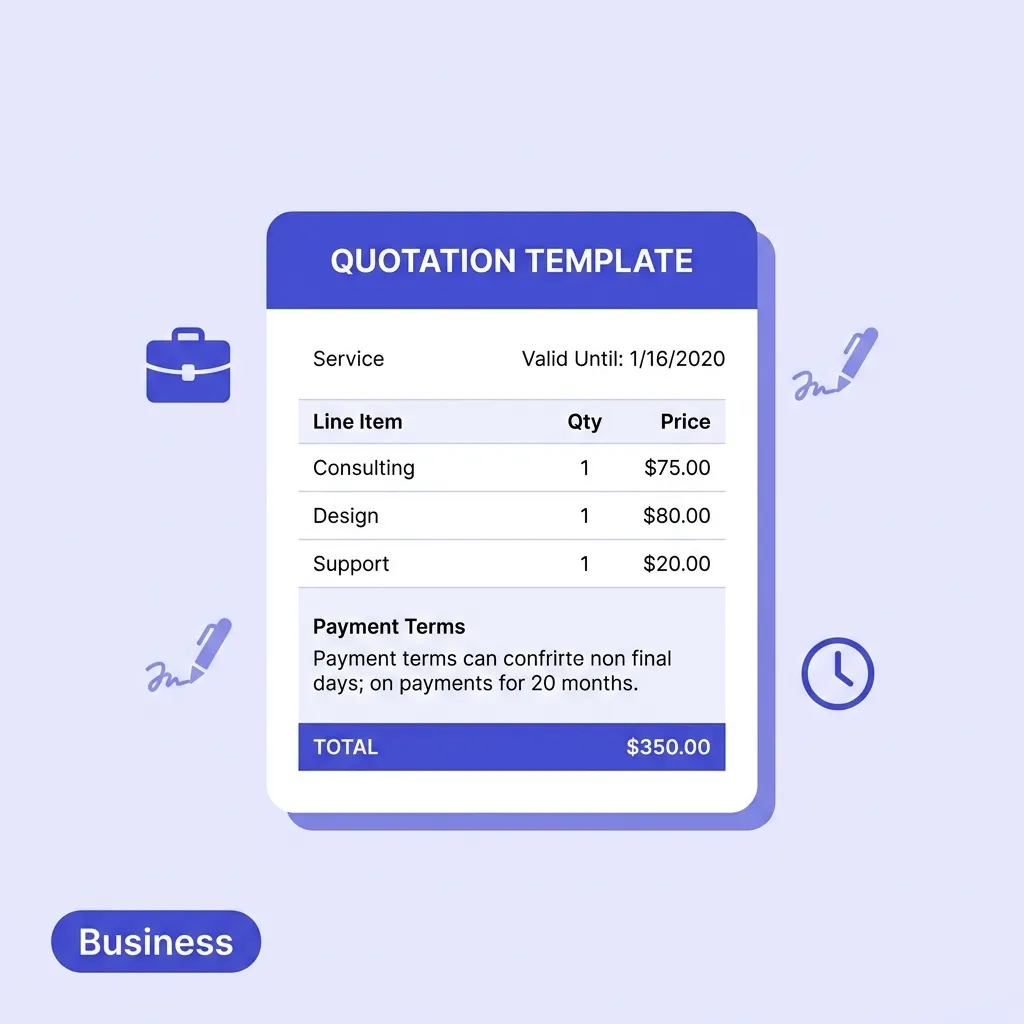
Valid Until: The date after which your prices are no longer guaranteed. This is one of the most important and most frequently omitted fields — without it, clients can come back six months later and hold you to a price you quoted when your costs were different
4. Scope of Work Description
This is the section that either protects you or exposes you to scope creep. Each service should be described specifically enough that there is no ambiguity about what is included and what is not.
Vague (dangerous): "Website design — $2,500"
Clear (protected): "Website design — Design and build of a 5-page WordPress website including homepage, about, services, blog, and contact. Includes one round of revisions per page. Excludes copywriting, stock photography, and third-party plugin licences. — $2,500"
The more you define what is included, the more clearly you establish what is not — and the more confidently you can invoice for additional work that falls outside the agreed scope.
5. Pricing Structure
For each line item:
Description of the specific service or deliverable
Quantity (hours, units, days, sessions, items)
Unit rate (your hourly rate, day rate, or per-unit price)
Line total (Quantity × Unit Rate)
After all line items:
Subtotal before any discounts or taxes
Discount (if applicable) — shown as a separate line for transparency
Tax (VAT, GST, sales tax — applicable rate and amount, depending on jurisdiction)
Total — the final amount the client will be asked to pay
6. Payment Terms
Be specific. "Payment on completion" is vague — does that mean the day it is completed, within 30 days, or when the client is satisfied? State your exact terms:
Deposit requirement and amount (e.g., 50% upfront before work commences)
Balance payment schedule (e.g., balance due within 14 days of project completion)
Late payment provisions (e.g., interest charged on overdue invoices)
7. Terms and Conditions
At minimum, include:
Revision policy (how many rounds of revisions are included, and your rate for additional rounds)
Cancellation policy (whether a deposit is refundable and under what conditions)
Intellectual property (when ownership of work transfers to the client — typically upon receipt of full payment)
Change order process (how changes to scope are agreed and priced)
Governing law (for international engagements, which country's law applies)
For many service businesses, a brief paragraph in the footer handles this. For higher-value or complex engagements, a separate terms document attached to the quotation is more appropriate.
8. Signature and Acceptance Block
Provide a clear action for the client to accept: a signature line for physical documents, or an explicit instruction ("To accept this quotation, please reply to this email with your written confirmation or return a signed copy").
Many businesses now embed an electronic acceptance mechanism. This creates a timestamped record of acceptance and removes the friction of printing, signing, and scanning.
Free Quotation Template Options — and Why They Fall Short
Let us evaluate the most common free quotation template formats that service businesses use:
Microsoft Word Templates
Pros: Widely familiar, easy to customise, free.
Cons: Every quote requires manually copying the previous version, changing details, and hoping the table formatting does not break. No automatic calculations — you manually type every subtotal and total, introducing the very real risk of arithmetic errors on client-facing documents. PDFs exported from Word vary in quality and can display differently on the client's device. No version control — easy to confuse draft versions.
Google Docs Templates
Effectively the same limitations as Word, with the added risk of accidentally sharing a live Google Doc link that the client can edit rather than a static PDF.
Excel / Google Sheets
Pros: Auto-calculates totals.
Cons: Sending a spreadsheet to a client looks unprofessional — clients expect a PDF. Exporting to PDF manually each time adds friction. Formatting for print output is notoriously difficult in spreadsheets. No quote numbering system.
Downloaded PDF Templates
Pros: Polished appearance.
Cons: To edit a PDF you need Adobe Acrobat (paid) or a clunky workaround tool. Most free PDF templates are generic and cannot be meaningfully branded. No calculations.
Auto-calculates every line item total, subtotal, discount, tax, and grand total in real time — zero arithmetic risk on client documents
Auto-increments quote numbers sequentially so you never duplicate or manually track references
Produces a clean, professional PDF instantly — consistent formatting, no export headaches
No watermarks on downloaded documents
No account required — open, fill in, download
Your business details save locally — from your second quote onwards, your name, address, logo, and branding are pre-populated
Your data stays private — all processing happens locally in your browser; nothing is sent to or stored on any server
The practical time difference is significant: a Word template quote for a new client takes 15–20 minutes to produce and format correctly. A generated quote takes under 3 minutes.
How to Create a Professional Quotation in Under 3 Minutes
Here is a step-by-step guide to using Bizcalc's free quotation generator:
📋
Free Quotation Generator
Auto-numbering, revision tracking, validity countdowns, and instant PDF. No login required.
Currency (the generator supports multiple currencies for international engagements)
Upload your logo — even a simple wordmark logo dramatically professionalises the output
Set your brand accent colour for document header elements
This is a one-time setup. Your details persist locally between sessions.
Step 2: Enter Your Client's Details
In the "Quote To" section, enter:
Client company name (or individual name)
Contact person
Client address
Step 3: Set Quote Reference, Dates, and Validity
Quote number is auto-assigned sequentially. Override if you need a specific format
Quote date defaults to today
Valid until — set a validity period. 14–30 days is standard for most service businesses; 7 days for businesses with volatile material costs; 60–90 days for larger project quotes that require a longer client decision cycle
Reference/subject line — a brief description of the engagement ("Brand Identity Project — Acme Corp")
Step 4: Add Your Line Items
Click "Add Line Item" for each service or deliverable:
Description — be specific. "Initial consultation and discovery session (2 hours)" rather than "Consultation"
Quantity — hours, days, units, or sessions
Unit rate — your price per unit
The line total calculates automatically
Add all items, then review the automatically calculated subtotal. If you are applying a discount, enter it as a separate line. If tax applies in your jurisdiction, enter the applicable rate and the tax amount appears automatically.
Step 5: Add Payment Terms and Notes
Use the Terms/Notes section to specify:
Deposit requirement ("A 50% deposit of [amount] is required to commence work")
Payment schedule
Revision policy
Cancellation terms
Any special conditions for this specific engagement
Step 6: Review and Download
Check all amounts, dates, and descriptions. Click "Download PDF" — your quote downloads instantly as a clean, professional PDF. Send it to the client via email, attach it to your project management tool, or share via your preferred communication channel.
How to Structure Pricing on Service Quotations
How you present your pricing has as much impact on win rate as the price itself. Here are the most effective approaches for service business quotations:
Option 1: Fully Itemised Line Items
Each deliverable is listed separately with its own quantity, rate, and total.
Best for: Creative agencies, IT firms, consultants — any service where the client benefits from understanding exactly what they are purchasing and how the total is built up. Itemised quotes create transparency that builds trust and justifies premium pricing.
Risk: If the client has a tighter budget, they know exactly which line items to negotiate. Counter this by also providing a "core package" alternative (see Option 3).
Option 2: Package / Fixed Fee
A single flat price for a defined scope of work, without itemising individual components.
Best for: Productised services where you want to avoid hourly-rate scrutiny. Web developers, photographers, coaches, and similar businesses who charge project fees rather than hourly rates often prefer this format. It shifts the client's focus from "how long will this take?" to "what will I receive?"
Risk: Less transparency about what is included, which can create scope ambiguity. Compensate with a detailed written scope description even if pricing is presented as a single number.
Option 3: Tiered Options (Good / Better / Best)
Present two or three service tiers at different price points, each with a clearly defined scope.
Best for: Any service business where clients have varying budgets. Tiered pricing anchors the client's decision not against "should I buy this?" but against "which level is right for me?" — which converts significantly better. A client who might have said no to a $3,000 package often says yes to a $1,200 entry tier.
Example:
Starter: Core service elements — $1,200
Standard: Full service scope — $2,400
Premium: Full service plus priority support and additional deliverables — $3,800
Tiered quotes require slightly more work to produce but typically have materially higher win rates than single-option quotes.
Option 4: Time and Materials (T&M)
An estimated total based on projected hours, with actual billing based on time logged, up to a maximum.
Best for: Consulting, development, and any project where scope cannot be fully defined in advance. Always include an estimated total and a maximum not-to-exceed figure even on T&M quotes. Without a ceiling, clients feel financial exposure is unlimited — which makes them hesitant to proceed.
7 Reasons Your Quotes Are Being Rejected (And How to Fix Them)
1. No Validity Date
Without a validity date, your quote sits in the client's inbox indefinitely. Adding a deadline creates urgency and gives you a natural reason to follow up: "I wanted to check in before your quote expires on Friday."
2. Vague Scope Descriptions
"Marketing services — $2,000/month" tells the client nothing. What activities? What deliverables? What access do you need? Vague descriptions invite the question "what am I actually buying?" — which delays the decision and invites price negotiation.
3. No Payment Terms
If the client does not know when they need to pay, they will not plan for it. If there is a deposit requirement, state it on the quote — not in a separate email three days after they accept. Surprises after acceptance damage trust.
4. No Next Step
Every quotation document should conclude with a clear action: "To accept this quotation, please sign and return this document" or "Reply to confirm acceptance and we will issue a deposit invoice to commence." Without a specific next step, clients drift.
5. Sending Too Late
The faster you respond with a quotation, the higher your win rate. Studies consistently show that leads responded to within one hour convert at dramatically higher rates than those followed up the next day. If a client has requested quotes from multiple suppliers, the first professional-looking quote in their inbox has a significant psychological advantage.
Using a generator rather than a template directly reduces the time from enquiry to quotation — which directly improves win rate.
6. Too Much or Too Little Detail
The right level of detail depends on the client and the value. A $200 quote for a single session needs a clean summary, not four pages of terms. A $20,000 project quote should include detailed scope, assumptions, exclusions, payment schedule, and clear terms. Match document depth to engagement value.
7. No Follow-Up
Most businesses send a quote and wait. Best practice: follow up in 3–5 business days if you have not heard back. A brief, warm check-in ("I wanted to make sure the quote arrived safely and to answer any questions you might have") dramatically increases response rates and keeps you in the client's consideration set.
Quotation vs. Invoice: Understanding the difference
A quotation and an invoice serve opposite ends of the client engagement:
Quotation
Invoice
When issued
Before work begins
After work is completed (or at agreed milestones)
Purpose
Proposes and agrees the price
Requests payment for work done
Legally binding
Upon client acceptance, creates a contract
Creates a payment obligation
Status
Can expire; may need revision
Fixed; records a completed transaction
Client action
Accept/decline/negotiate
Pay
Once a client accepts your quotation, your invoice generator is the next step — converting the agreed scope and pricing from quote to formal payment request. Both documents should use the same branding, and the invoice should reference the original quote number for clear audit trail.
Quotation Best Practices by Industry
Trades and Construction
Always state clearly what is and is not included in your quotation: labour, materials, disposal costs, third-party subcontractor costs. Quote including VAT/GST where applicable, or state explicitly that prices exclude tax. Provide two price points where possible: one for basic specification, one for premium materials.
Creative and Design Services
Itemise your phases (discovery, design, revisions, final delivery). Be explicit about the number of revision rounds included and your rate for additional rounds — this is where most disputes arise in creative work. State when intellectual property transfers to the client.
IT and Technology
Define deliverables technically but in language the client can understand. State your assumptions: what access, software, and information the client will provide. Include a change request process for scope additions.
Consulting and Professional Services
Present daily or hourly rates alongside an estimated total engagement cost. Define the engagement clearly enough that both parties understand what "done" looks like. Include a clause on what happens if the client requires work beyond the original scope.
Events and Hospitality
Quote in packages where possible. State minimum numbers, deposit and cancellation terms prominently (these are the most frequent sources of disputes in event businesses). Be explicit about what is provided versus what the client is responsible for.
Frequently Asked Questions
How long should a quotation be valid for?
The standard validity period for most service businesses is 14 to 30 days. This gives clients reasonable time to make a decision while protecting you against cost increases or capacity changes. For project quotes over a high value, 30 to 60 days is common. For businesses with volatile input costs (materials, commodities, foreign exchange), 7 to 14 days is more appropriate. Always state the validity date explicitly on the document.
Is a quotation legally binding?
A quotation becomes a legally binding contract when the client accepts it — either in writing, by signing the document, or by proceeding on its basis (for example, paying a deposit or instructing you to commence work). This is why the scope description and terms matter so much: they define the terms of the contract that comes into existence at acceptance.
What is the difference between a quote and a proposal?
A quote (or quotation) presents a price for a defined scope of work. A proposal is typically a longer document that also makes the case for why you are the right choice — it may include an introduction, approach methodology, team credentials, case studies, and references, alongside the pricing. For smaller or more standardised engagements, a quote is appropriate. For competitive pitches or larger contracts where multiple suppliers are being evaluated, a full proposal is usually expected.
Should I include tax on my quotation?
This depends entirely on your jurisdiction, your registration status, and whether your client is a business or a consumer. In the UK and EU, VAT-registered businesses must show VAT separately on quotations (and invoices). In Australia and New Zealand, GST is typically included with the gross total and rate stated. In most of the US, services are generally not subject to sales tax. When in doubt, consult your accountant — incorrect tax treatment on client-facing documents can create compliance issues.
What should I do if a client wants to negotiate the price?
Decide in advance how much flexibility you have, and on what basis. Options include: discounting for early payment, reducing scope rather than reducing price for the same scope, offering a phased approach to spread cost, or holding firm and explaining the value. Never simply reduce your price in response to pushback without either reducing scope or adding value — this establishes a precedent that your prices are negotiable and positions you as a commodity.
How many quotations should I send before following up?
Send your quotation, then follow up once at 3–5 business days if there is no response. After that, a second follow-up at the validity date expiry ("I wanted to check in as your quotation expires tomorrow") is appropriate. Beyond two or three follow-ups, the lead is unlikely to convert — move on, and make a note to reconnect in a few months.
Stop Formatting. Start Winning.
The fastest way to improve your quote-to-win rate is not to drop your prices — it is to respond faster with quotes that look more professional than your competitors. Clients making purchasing decisions make judgements about supplier quality based on every interaction, and a well-structured, clearly presented quotation is one of the strongest signals of competence available to you before work has even started.
Our free quotation generator gives your business a professional quoting process from the very first enquiry — branded documents, auto-calculated pricing, and PDF download in under three minutes. No subscription, no watermarks, no data stored on any server.
Once the quote is accepted, move straight to the invoice generator to issue your deposit request or final invoice with consistent branding. And use the Profit Margin Calculator to make sure the rates you are quoting actually build a sustainable, profitable service business.
🧾
Free Invoice Generator
Turn your accepted quotation into a professional invoice in seconds. Same branding, consistent formatting, and no account required.
How is a service quotation different from a product quotation?
A service quotation often focuses on hourly rates, project milestones, and the scope of work, whereas a product quotation focuses on item quantities, unit prices, and shipping costs.
Should I include an expiration date on my service quotes?
Absolutely. Material costs and your availability can change. Adding an expiration date (e.g., 30 days) creates urgency and protects you from committing to outdated pricing.
Can a client negotiate a quotation?
Yes, quotes are often the starting point for negotiation. If the client wants a lower price, you can adjust the scope of work and issue a revised quote.
What is the best format for sending a quotation?
Sending a quotation as a non-editable PDF is the industry standard. It looks professional and ensures the client cannot accidentally or intentionally alter your pricing.
Do I need the client to sign the quotation?
Having the client sign or explicitly reply 'approved' to the quote turns it into a binding agreement, protecting you if there are disputes about the price or scope later.
#free quotation template#business quote template#service business quotation#quote for services#professional quotation