The Best Free Online Quotation Generator: How to Make Professional Quotes in Seconds
Generate instant, professional PDF quotations and estimates online with no signup. Customize branding, calculate taxes, and win client bids faster.
BT
Bizcalc Team
·March 26, 2026
Quick Answer & Key Summary
Quick Answer: An online quotation generator creates legally binding pricing estimates, itemizing materials, labor rates, and expiration dates as professional PDFs without requiring cloud account logins or complex software subscriptions.
• Key Formula / Standard:Quote Total = Sum(Line Item Quantity × Unit Price) − Discounts + Applicable Sales Tax • Rule of Thumb / Benchmark: Quotes sent within 2 hours of a customer inquiry convert into closed deals at nearly double the rate of next-day bids.
Winning new business often comes down to two things: speed and professionalism. When a potential client asks for a price estimate, the business that responds first with the most polished document usually wins the job. Yet most small business owners are still wasting time on clunky free business quote templates in Word or Excel — fighting broken formulas, inconsistent formatting, and documents that look nothing like a professional proposal.
If you are wondering how to make quotation online free without expensive subscriptions or time-consuming design work, this is the guide for you. We will cover what makes the best free business quote generator, the essential elements every quote must contain, a step-by-step walkthrough, and advanced tactics for using quotes to close deals faster.
📝
Free Quote Generator
Build professional, branded quotes in seconds. Features optional line items, auto-calculation, and instant PDF download.
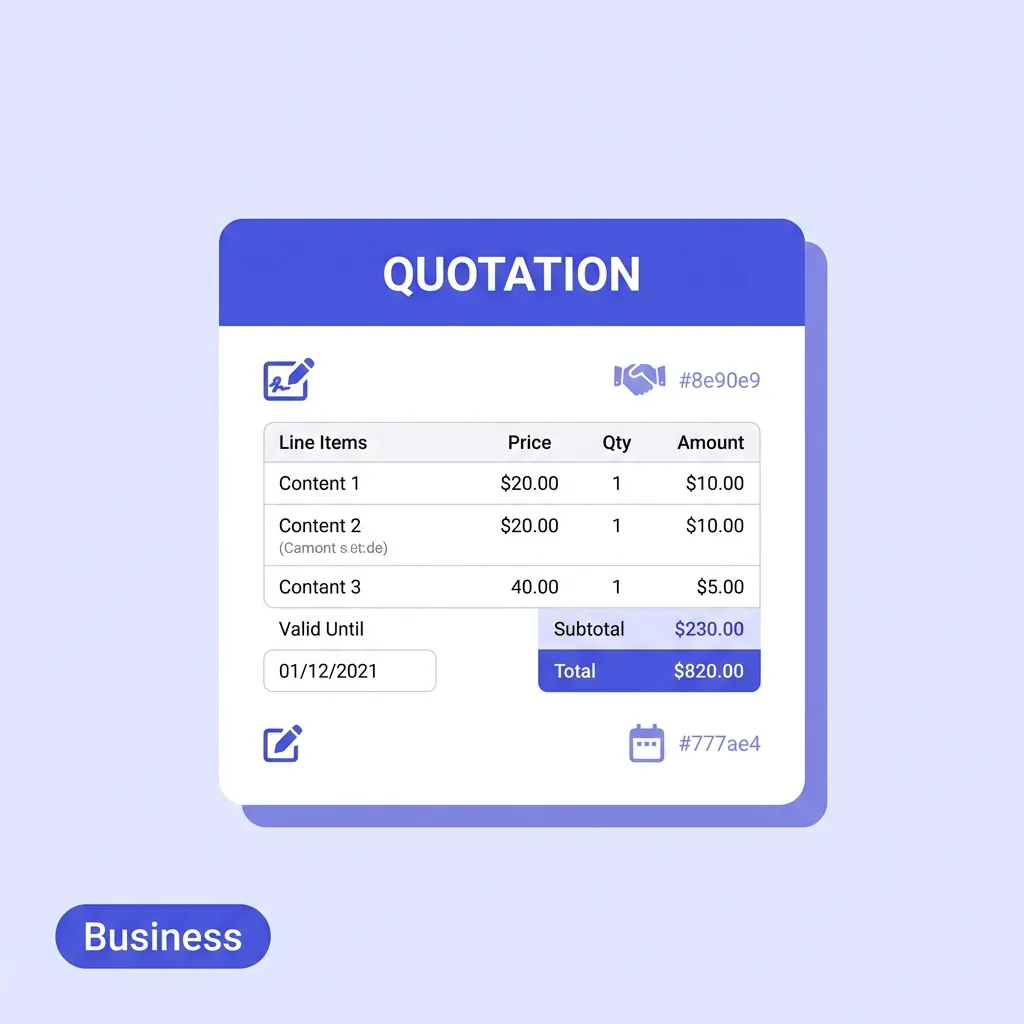
A business quotation (also called a quote or estimate) is a formal document sent from a seller to a prospective buyer that outlines the proposed price for specific goods or services. Unlike an invoice — which is a payment demand issued after a transaction — a quotation is a pre-sale offer that the client can accept, decline, or negotiate.
Quotations play a critical role in the sales process across virtually every industry. Freelancers send them to new clients before beginning a project. Contractors use them to bid on construction work. Wholesalers send them to retailers who want to place bulk orders. Agencies send them to prospects considering a retainer.
Quotation vs Estimate vs Proposal — What's the Difference?
These three terms are often used interchangeably but carry different weight:
Document
Binding?
Price certainty
Best used for
Quotation
Yes (once accepted)
Fixed price
Well-defined scope of work
Estimate
No
Approximate
Variable or unclear scope
Proposal
Varies
May include pricing
Complex, consultative sales
A quotation commits you to a specific price if the client accepts it within the validity period. This is why getting your quote right — before sending — is so important.
Why Your Current Quote Template Is Costing You Business
Before looking at what a great free online quotation generator offers, it is worth understanding why so many businesses have historically struggled with the quoting process — and what that struggle is actually costing them.
Manual Templates Break Under Pressure
Most businesses start with a Word document or Excel spreadsheet downloaded from the internet. These work fine for the first ten quotes. By quote fifty, they have become a maintenance nightmare. Column widths break when you paste a long description. Formulas silently produce wrong totals. The logo has shifted off-centre after a dozen resaves on different computers.
When a client opens a PDF that looks hastily put together, the implicit message is that your business operates the same way.
Speed Determines Win Rate
Research consistently shows that responding to a prospect within the first hour dramatically increases the likelihood of closing the deal. If generating a quote takes you 45 minutes of manual formatting, you are already losing to competitors who can respond in under five minutes.
This is the core value proposition of a quotation maker online free without login: removing all the friction so you can send a polished, professional document in minutes, not hours.
Templates Cannot Handle Modern Sales Tactics
The most effective quotes today do more than just list prices. They create urgency with validity deadlines. They offer premium options as optional add-ons without inflating the main price. They track revisions so clients know which version they approved. Generic templates cannot do any of this.
What Makes the Best Free Business Quote Generator?
Not all free quotation generators are equal. Many tools offer basic functionality but hide essential features behind a paid plan. Here is what to look for — and what our generator provides out of the box, completely free.
No Account Required
Speed is paramount. A quotation maker online free without login means you can open the tool, build your quote, and download the PDF without creating an account, verifying an email address, or starting a "14-day free trial." Your time should be spent on your business, not on onboarding flows.
Auto-Calculating Totals
Every time you adjust a quantity, change a rate, or apply a discount, the subtotal and grand total should update instantly. No manual formulas. No re-checking arithmetic. The generator handles all the maths so you can focus on the proposal's content.
Optional Line Items
This is one of the most powerful — and most underused — features in professional quoting. Optional items allow you to present premium add-ons or phase-two deliverables on the same document without inflating the base price.
For example: you are quoting a web design project at $3,500. You want to offer SEO copywriting as an additional service for $800. Mark it as optional — it appears on the quote with a dimmed "Optional" label and is excluded from the main total. The client sees the upsell, understands the value, and can ask to include it. You have pitched a $4,300 engagement from a $3,500 quote.
Validity Date and Countdown
A "Valid Until" date on a quote creates a deadline that prompts faster client decisions. Our free online quotation generator displays a live countdown badge that shows your client exactly how many days remain before the prices expire. This is one of the most effective psychological tools for reducing quote-to-close time.
Revision Tracking
Quotes routinely go through multiple rounds of negotiation. Clients ask for scope changes, adjustments to quantities, or different terms. Without revision tracking, it becomes dangerously easy to lose track of which version was approved.
Our generator includes a built-in revision counter. Bump it from Rev 1 to Rev 2 when you update the scope — the revision number appears on every version of the PDF, so there is never any ambiguity about which document governs the agreed terms.
Convert to Invoice in One Click
The most frustrating part of the post-quote workflow is re-entering all the same information into an invoice. Our generator eliminates this entirely. When the client approves your quote, click "Convert to Invoice" and all your line items, pricing, client details, and branding carry over to a new draft invoice with an auto-incremented invoice number. You go from approved quote to ready-to-send invoice in under ten seconds.
Instant Watermark-Free PDF Export
A free business quote generator PDF should produce a clean, professional document with no watermarks, no "Made with [Tool Name]" footers, and no low-resolution logos. One click produces a fully formatted PDF ready to attach to an email.
Brand Customisation
Your quote should look like it came from your business. Upload your company logo, select your brand accent colour, and choose from 17 currencies. The document preview updates live so you see exactly what the client will receive before you download.
What to Include in a Professional Quotation
A great quote contains more than just a list of prices. Missing any of these elements can lead to scope creep, payment disputes, or clients who simply do not understand what they are agreeing to.
1. Your Business Details
Your company name, address, email, phone number, and any relevant registration numbers. This tells the client who they are entering into an agreement with and is required in many jurisdictions for commercial documents.
2. Client Details
The full legal name of the person or company you are quoting. If the quote is accepted, these details will carry over to the invoice and any formal contract that follows.
3. Quote Number and Date
A unique quote reference number (e.g. QTE-2026-041) and the date of issue. This is your tracking reference when the client emails to say "I'd like to accept your quote" weeks later.
4. Valid Until Date
The date after which the quoted prices are no longer guaranteed. Typically 14–30 days. This protects you from price commitments made months ago before costs changed, and creates urgency for the client.
5. Revision Number
Especially important for complex quotes that go through multiple rounds of changes. Rev 1, Rev 2, Rev 3 — always visible on the document so both parties reference the correct version.
6. Itemised Line Items
Each deliverable, product, or service listed separately with:
Description (clear and specific — avoid vague language like "website work")
Quantity
Unit of measure (hours, days, pages, pieces, licences, etc.)
Unit rate
Line total
Itemisation prevents scope creep. When everything is spelled out, there is no room for "I thought that was included."
7. Optional Items
Premium add-ons, phase-two work, or complementary services marked clearly as optional. These should appear separately from the main total with an "Optional" label.
8. Subtotal, Tax, Discount, and Grand Total
Apply your applicable tax rate (VAT, GST, sales tax), any agreed discount, and calculate the grand total clearly. The client should be able to see exactly how the final number was reached.
9. Payment Terms
Even though a quote is not a payment request, stating your expected payment terms upfront avoids surprises later. "50% deposit required upon acceptance, balance due on project completion" sets clear expectations before work begins.
10. Notes and Terms
Any additional conditions: your cancellation policy, intellectual property ownership, revision limits, or reference to a formal contract or service agreement that governs the engagement.
How to Make Quotation Online Free — A Step-by-Step Guide
Here is the complete process for using our free business quote generator to produce a professional quotation in under five minutes.
📝
Free Quote Generator
Generate quotes with custom branding, revision tracking, and expiry countdowns directly in your browser. No login required.
Open the document settings sidebar on the right. This is a one-time setup that persists between sessions:
Upload your business logo
Select your brand accent colour
Choose your currency (USD, EUR, GBP, NGN, INR, AED, and 11 more)
Enter your company name, email, and address
These details are saved locally in your browser. Next time you open the generator, they will be pre-populated.
Step 2: Add Your Client Details
In the "Bill To" section, enter the client's full name or company name, email, and address. If you have quoted this client before, their details were saved automatically — just start typing their name and the fields will populate.
Step 3: Set the Quote Metadata
Fill in the document header fields:
Quote Number — auto-generated, or override with your own format (e.g. QTE-2026-001)
Date — defaults to today
Valid Until — set your quote expiry date (typically 14–30 days out)
Revision — start at 1; increment if you revise and resend
Step 4: Add Your Line Items
Click "+ New Line Item" for each product or service. For each row:
Write a clear, specific description
Enter the quantity
Select the unit of measure
Enter the unit rate
The line total and grand total update automatically.
To add an optional item, tick the "Optional" checkbox on the row. It will appear on the PDF with an "Optional" label and be excluded from the main total — but visible to the client as a potential add-on.
Step 5: Apply Tax, Discount, and Shipping
Use the toggle buttons below the table to enable:
Tax — as a percentage or fixed amount
Discount — as a percentage or fixed reduction
Shipping — if applicable to your service or product delivery
Step 6: Add Payment Terms and Notes
Scroll to the footer section to add:
Payment terms (e.g. "50% deposit on acceptance, balance on delivery")
Notes to the client
Any terms and conditions or references to a framework agreement
Step 7: Download Your PDF
Click "Download PDF" to instantly save a watermark-free, professionally formatted free business quote generator PDF. The file is ready to attach to your pitch email or send directly via the mailto link.
Advanced Quoting Strategies That Win More Business
Beyond the mechanics of building a quote, there are several strategic approaches that consistently improve close rates.
The Three-Tier Pricing Strategy
Instead of sending a single price, present three options: Good, Better, Best. Your standard scope at the base price, a premium scope with additional deliverables in the middle, and a comprehensive package at the top. Research shows most clients gravitate toward the middle option — meaning you close at a higher price than your base quote while giving the client a sense of choice and control. Use optional line items to implement the tiered approach on a single document.
Anchor the Optional Items Prominently
When you add optional items to your quote, think about their order carefully. List the highest-value optional item first. This anchors the client's frame of reference to that larger number — making the main quote price feel more reasonable by comparison.
Use Specific Numbers, Not Round Figures
A quote of $3,487 reads as carefully calculated. A quote of $3,500 reads as a rough estimate. Where your costs justify it, use specific figures — they signal that you have done the work of calculating precisely, rather than guessing.
Follow Up at the Validity Midpoint
If your quote is valid for 30 days and you have heard nothing by day 15, send a brief follow-up. Reference the quote number, ask if they have questions, and gently note the validity date. This single touchpoint recovers a significant percentage of quotes that would otherwise quietly expire.
Frequently Asked Questions
Is a quotation legally binding?
Once a client formally accepts a quotation — in writing, by email, or by signing the document — it becomes a legally binding agreement in most jurisdictions. This is why your quote should clearly state your payment terms, revision policy, and any other conditions before the client accepts.
What is the difference between a quotation and a proposal?
A quotation focuses primarily on pricing and scope. A proposal is a broader document that also covers your approach, methodology, timeline, team credentials, and sometimes case studies. For simple, well-defined engagements, a quotation is usually sufficient. For complex or high-value projects, a proposal accompanies or precedes the quote.
How long should a quote be valid for?
Industry norms vary, but 14 to 30 days is the most common validity window. Shorter periods (7–14 days) create urgency for time-sensitive engagements. Longer periods (60–90 days) are sometimes used for large capital purchases where the buyer's decision cycle is longer. Set validity based on how volatile your costs are and how urgently you need the work confirmed.
Can I use the same tool for invoicing?
Yes — our platform includes a full suite of interlinked document generators. Once a client accepts your quote, use the "Convert to Invoice" button to automatically transfer all quote data to our free invoice generator with an auto-incremented invoice number.
How do optional items work on an accepted quote?
When a client accepts the quote, they may explicitly accept the optional items (verbally, by email, or by ticking them as agreed) or simply accept the base quote. Before issuing the invoice, confirm with the client which optional items to include, then add them as standard line items on the invoice.
Do I need an account to use the quote generator?
No — our generator is a quotation maker online free without login. Open the tool, build your quote, and download the PDF without any registration. Your data is stored locally in your browser and never sent to a server.
Start Winning More Business Today
A professional quotation is often the first real impression a potential client has of how your business operates. A clean, branded, itemised quote signals competence and attention to detail before a single piece of work is delivered.
Stop fighting with broken Excel formulas and generic templates. Our Free Online Quotation Generator gives you everything you need to quote quickly, professionally, and strategically — optional items, revision tracking, validity countdowns, and instant PDF export, completely free with no account required.
Whether you are a freelance designer quoting a brand identity project, a builder estimating a renovation, or an agency pitching a marketing retainer, the right tool makes all the difference. Generate your first professional quote now → and see how much faster your sales process becomes.
🧾
Free Invoice Generator
Already got the job approved? Convert your quote to an invoice or create a new professional invoice to get paid faster.
A quotation generator is a tool that allows businesses to quickly create, format, and download professional price quotes to send to prospective clients.
What is the difference between a quote and an estimate?
A quote is a fixed, legally binding price offer for specific work. An estimate is an educated guess of what the final cost might be and is subject to change.
How long should a quote be valid for?
Quotes typically include an expiration date, usually 14 to 30 days from the date of issue. This protects you from material price increases if the client waits months to accept.
What should be included in a professional quotation?
A quote should include your company details, the client's details, an itemized breakdown of costs, the total price, a validity date, and clear terms and conditions.
Can a quote serve as a contract?
Yes, if a client formally accepts and signs a detailed quote that includes terms of service, it generally becomes a legally binding contract.